





 Sign in with Google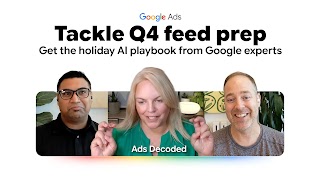
In this Season 2 kickoff episode of Ads Decoded, host Ginny Marvin sits down with Google product experts Scott and Bhaskar to share practical, step-by-step strategies for getting your Merchant Center product data ready for the holiday season.
Episode overview
Preparing your product data for holiday retail campaigns can feel daunting. But as search behavior shifts toward more detailed, natural questions, it’s no longer just about basic product specs. Adding conversational attributes, high-quality video and image assets, and accurate shipping, returns, and promotion information is the best way to tell richer stories about your products and provide context for these conversational experiences.
In this deep dive:
- Conversational attributes: How to leverage 6 new Merchant Center attributes (such as Q&A, variant options, and popularity rank) as search behavior shifts toward more detailed, natural questions.
- Multimodal visual assets: Why relying on a single hero image is no longer enough and how providing high-res images (1500x1500px+), 3+ additional angles, and short-form video are now essential to fully meet user context.
- Feed health fundamentals: Practical tips on GTIN setup, automatic image improvements, and automated price and availability syncs to prevent rejections and ensure every product acts as the entry door to your brand.
- Best practices for shipping and returns: Configuring offer-level shipping settings, clear return policies, and local inventory to help shoppers buy with confidence.
Want Ginny’s key takeaways and tips from this conversation? Subscribe to the Ads Decoded newsletter.
Additional resources
Activate Ask Advisor in Merchant Center
Turn complex feeds into clear conversational answers to resolve issues and unlock growth.
Get new AI Performance Insights
Learn how your products are being discovered on AI Search.
Upgrade to AI Max for Shopping campaigns
Transform product data into dynamic Shopping ads that answer conversational queries.
Powering modern commerce with Merchant Center
Discover best-in-class feed practices and enable advanced features.
Transcript
Scott: Something that is tough is there’s so many different optional elements in the feed and, you know, you try and make sure you go through all the required ones. But there’s also really important optional ones. And so they say optional, but they just make such a big difference in the holiday.
**
Ginny: Holiday prep is well underway, and your product data is more important than ever. We are talking about how to get your merchant center feeds ready for success now and agentic ready for the future. Welcome back to Ads Decoded and the first episode of season two. I’m Ginny Marvin, Google’s Ads Product Liaison.
I’m joined by Scott Ruffner, group product manager for Merchant Shopping, who specializes in shopping creatives, and Bhaskar Deva, a product manager who specifically works on Merchant Center features. We’ll discuss how to leverage new conversational attributes, automated features within Merchant Center, and ways to evolve your creative strategy to capture user intent. Let’s go.
**
Ginny: Welcome, Scott and Bhaskar. Very excited to have you both here today. And timing a retail episode is always tricky. We’re here in the middle of August talking about holiday, and yet we also know that plans are penned and pieces are getting put in place.
So we will touch on all kinds of things for retail advertisers to start to be able to focus on specifically, as you know, we’re gonna emphasize what they can do with Merchant Center, product data health, and Merchant Center data powers, product visibility I think it’s important to note across both free listings, across Google, as well as Demand Gen, Performance Max, AI Max, shopping and search campaigns.
So let’s start out with what, if anything, is more important for merchants to focus on or get right this year that’s really feeling new than in years past?
Scott: I think what’s really interesting to me this year is just how much agentic and AI and getting ready for AI is so top of mind for people. And so what I’m really seeing change this year is just the amount of discussion and focus on how much context matters and how much personalization matters and how do advertisers and partners and merchants prepare for this, how does that impact their creatives and their creative strategy and just overall getting ready their Google feed and all the attributes of the feed for that.
Bhaskar: Everybody is thinking about content differently and how do they up-level the content in terms of being more expressive, but at the same time having content in place which powers or can power these conversational experiences, where the way in which customers are, or shoppers are searching is also shifting.
And that requires a lot more context. It’s also gone multimodal, so you need better creatives, deeper, richer descriptions, and a lot more information because it’s not just about search. The way the products are getting searched now is also changing in many ways.
This is also guidance that we have been giving our merchants, is, focus more on writing richer descriptions, add more product details in terms of not just the specifications, but also go beyond the specifications. Leverage the full breadth of the feed spec that we offer, including the newer attributes that we’ve introduced, which are conversational attributes that we just announced at Google Marketing Live.
That lets brands also tell a story which goes beyond specifications.
Ginny: Yeah. Scott, anything you wanna add on top of that?
Scott: Yeah, Bhaskar made some great points. For AI mode searches, one in six of those searches is multimodal. And that’s telling us a lot about what the user intent is.
It’s really interesting how multimodal is really expanding, the way you should be leveraging your feed and the amount of images that you have and the amount of creative that you have for all those opportunities.
Ginny: So as a place to start for merchants who may need to do a bit of tidying up in their feeds, Before the big rush starts to happen. What attributes in their feeds should they be prioritizing?
Bhaskar: It’s a great question, Ginny. The general recommendation right now is that the descriptions need to be a lot richer. It needs to tell a story about the product. Leverage newer attributes like Q&As, where you can add additional context, not just about the product specifications, but what do they translate to in real life.
For example, if you just—because you say it’s a waterproof shoe, does it mean that it’s gonna protect my feet if I run a marathon for a couple of hours in drizzling rain, right?
If you’re adding additional rich content information, make sure that they’re annotated correctly so that we can see and find them.
Scott: Yeah, I think if I think back to the basics and how to tidy up for holiday especially, when I think of images, if you’re shooting new creative, be sure that you’re not having overlays in those images.
I think a lot of people get confused about, like, “Hey, is the text on my package gonna be construed as an overlay, and am I gonna get it rejected for that?” Sometimes the angles help with that a lot too, if you’re shooting your products, that you can give some sort of depth of those can help a lot.
Other things like tidying up for the holiday: thinking about your fulfillment and your offerings. Make sure you set up, maybe you have free shipping thresholds that you’ll enter, maybe through loyalty. So I think something that is tough is there’s so many different optional elements in the feed and, you know, you try and make sure you go through all the required ones, and then there’s all the rules of the required ones. But there’s also really important optional ones. And so they say optional, but they just make such a big difference in the holiday.
Ginny: The tip about product shots is very interesting to avoid overlay dings. That’s great. And II did want to loop back to conversational attributes just a bit to make sure that we fully give them the attention because they are new.
So, Bhaskar, you touched on it a bit, but any more in terms of what are conversational attributes, tips for getting the most out of them, and how they can help advertisers stand out? And then I’m also wondering, from a prioritization standpoint, coming into this season, depending on what your list of to-dos looks like, where should conversational attributes fall in your priority list this year?
Bhaskar: Now just starting with the basics, what are conversational attributes? It’s a set of six attributes that we announced at Google Marketing Live. Namely, it’s questions and answer, Q&A. Then there is variant options. Then there is item group title, related products, which is a really good one.
There’s popularity rank, and lastly, there is the related documents or document link.
The ones which is - which we’ve seen getting used the most or a lot actually, and it’s gaining more popularity - is Q&A.
It kind of goes beyond the specifications. It kind of tells a story about what it means in real life. Like for example, you may have a great television, but does that mean that it’s suitable for a very brightly lit living room?
It really puts things into context, then of course, the variant options goes beyond the product variants that we have today.
It can explain things like what’s the pattern, what’s the weaving, you know, what’s the design, and fabric choices and material choices and things like that.
And lastly, I think document link is one more, which is really interesting, where merchants are free to provide supporting artifacts like instruction manuals, assembly instructions, specification sheets.
The one thing actually I kept for the last, is, the related products, which is a really interesting one. We’ve given merchants the freedom to also associate products with products to say the relationship could be, hey, I’m buying a phone, what’s a supported case or a cover or a screen guard?
And you can set up the relationship saying that’s a supported accessory. But it just goes beyond that. Now you can set up relationships around what’s a good replacement of this product. So if you don’t want this particular couch, maybe there’s another couch that you should look at, right? That’s a good alternative.
So there’s a lot of flexibility that merchants have.
Ginny: That’s great. And assuming they are all kind of sitting on that data in one team or another to be able to bring that into their feeds. So more orchestration across teams is always a good thing. Anything to add to that, Scott?
Scott: Our kind of equivalent of conversational attributes for creative is just really high quality images. There was an announcement earlier this year about Google actually upping the requirement for product images that now need to be greater than 500 by 500.
So that’s a new kind of minimum. And what we’re seeing with AI is, which is really interesting, is AI can kind of find very interesting characteristics, very high details. The stitches you might use, the textures of your products. That kind of makes me think about the additional images link attribute, which is where you should be leveraging that. You can add 10 additional images, and those images can have very close-up shots of your products. They could have the back of your product or other alternative views. Especially on search, where when you do hover in some of the different formats there, you’ll see that second image.
Ginny: Great. And I mean, the first thing that comes to mind when I think about needing high res, high quality is just thinking about how your ads are gonna show on TV in YouTube. But interesting to hear you also talk about for sSearch and various different channels where it’s gonna make an impact.
Scott: Yeah. Yeah, we see that high res just has such a big benefit, using those larger creatives, because then it can, to your point, fit on screens, it can fit on TV screens, it can fit on phones, all of those different options. And then there’s the ability to make sure that you have all the different formats and layouts. So, you know, the one by ones and all of these different kind of like aspect ratios that work across the different formats is really helpful
Ginny: we’ve talked about Asset Studio and some of the new capabilities there with Josh Moser during our GML episode. So if anyone’s missed that, check that out. We’ve also talked about creatives for YouTube specifically and retail in previous episodes as well.
So how can merchants use Merchant Center insights and diagnostics as we’re, again, thinking about, like, getting everything ready to help prioritize their plan for holiday readiness?
There’s a lot of automation features available in Google Merchant Center today. There’s automatic price corrections where we would crawl the price from your landing pages and make sure that they’re in sync, including availability.
There’s also the ability to use crawled offers or let Google add crawled offers into Merchant Center. That can also be beneficial, not just to enable the automation, but also to look at what offers or products Google was able to discover on your landing pages additionally.
The way I look at it, is it’s making sure that every product is a door, like an entry door, for discovery, making sure that you have all the doors available.
Scott: Yeah, I really, Bhaskar’s right that there’s a lot of tools within GMC that can be used. Automatic image improvements. And I’ve seen that feature getting a lot better actually over time, especially with all the improvements that Google’s making in AI. It’s a very good thing to opt into nowadays, as it improves and gets better.
Ginny: I’m glad you called that out. We talk a lot on this podcast about trying things again if things may not have worked out the way you anticipated when they first launched or even a few months ago. Things are developing so fast, keep testing. So I’m glad you brought that up. And there’s also price competitiveness in the insights also: just wanted to highlight the price competitive insights that can also be helpful to understand where you’re stacking up.
We’ve talked a lot about images. On the video front, where should video fit into merchants’ strategy, and where should they be prioritizing?
Scott: Definitely investing in video right now is a great move. We’re seeing a lot of performance from especially short-form video and high-quality videos that highlight your offer’s unique aspects and characteristics. So using the new video link attribute, which allows up to 10 different videos
Ginny: And any tips in terms of what the, like what works with these types of videos?
Scott: The video link works really well when you initially start with the product front and center for the user, but also if there’s some, like, dynamic motion and movement in the video in the first couple of seconds.
Other examples of great video content is where it’s actually being used. Unboxing videos are really interesting to users as an option. Again, you have 10 slots in the video link attribute, so using as many of those as you can for all these different elements is kind of going back to where AI is headed, which is you don’t know what user is looking for, and so you wanna try and put as much context and relevance out there for people to use and engage with.
Ginny: So that goes back to the top of the conversation talking about context and personalization, and seems to be a very important theme to be focused on in terms of like, how can you provide more context?
How can you provide more personalized answers, results for people as they’re searching for products, brands like yours? I want to make sure that we don’t leave off the basic fundamentals like shipping and fulfillment details.
Bhaskar: Absolutely. I think shipping is such an important piece of information which drives more confidence for shoppers. One is, of course, free shipping and establishing free shipping thresholds, but also, like, fast shipping.
And especially when it’s holiday season, right? So just being more intentional and upfront and transparent about it. One of the things that we didn’t talk about is also returns policy. That’s also very important to set up because it drives, it’s a massive confidence driver, and we’ve seen that impact or have a positive impact on average order values.
Then you talked about pricing.
Scott: Ginny, you mentioned this aspect about how Google’s constantly improving. It does make me think about: same thing applies even with aspects like shipping. So in Merchant Center, I remember hearing a lot about how hard it was to set up shipping in different regions, different zones, different pricing, different time delivery of that.
One of the things that I’ve seen continued to improve is the actual offer level shipping information that you can provide in the feed. So there’s been a number of new additions in the actual attribute for shipping that you can do things like order cutoff time. You can now do things like set your carrier, and Google’s actually added some value, I think, to that which is, hey, if you specify your carrier, it actually pulls in some of the information that kind of does some of the heavier lifting for you. So if you haven’t looked at the shipping attribute at an offer level, there’s a lot more capabilities that have been added over the years to make it easier.
Ginny: Thank you for bringing that up. That’s great to know. And yes, I can attest to the early pain of setting those shipping, tax, all of that was a bear. So that’s great to see. One thing we haven’t touched on is product ratings, and they are important usually.
How much effort should people be putting into getting those ratings?
Scott: Yeah. Well, offers with product ratings, and store ratings, either. So, both if you can work with partners that provide those, you definitely see lift in performance by getting those. And so if you’re not currently working with someone who can enable user ratings on your website, you should definitely do so.
Google has a great list of partners that we have in our user ratings help center article. So you can actually go and find the partners who Google is actually working with today.
Bhaskar: Yeah, and just to add to that, I think reviews and ratings or product reviews and ratings are a massive sort of driver for trust and confidence.
So if you have a website where you have enough sort of product level reviews uploaded and UDC uploaded, you can also just extract that content and upload it into your feed at an offer level,
Ginny: Okay, great. Anything else that merchants really should know about when using promotions in Merchant Center, particularly for their holiday efforts? Anything to add that we haven’t covered yet?
Bhaskar: Okay. So from the promotion standpoint, I think it’s important for merchants to be cautious about and deliberate about configuring promotions when they’re valid and when they’re expiring because we all know that multiple discount codes and promotions compete for a spot. So it’s important that you do make sure that promotions are set up correctly.
And it’s a great way to discover that product and not have to wait for two days or one day to get that delivered to you.
Ginny: Yes. Thank you so much for highlighting local inventory. Obviously very important for omni-channel local merchants. Anything from a local inventory standpoint?
Is there anything that you, like common challenges, pitfalls, issues, opportunities that you wanna highlight for folks using local inventory?
Bhaskar: We’ve made it super simple for merchants to now start providing local inventory. And it’s important that you pick and choose and configure it ahead of the holiday season because it can be a good discovery tool, and you’re not limited to just online. So just make sure that the right set of offers or products are configured and tied to the right set of stores that you have, because it’s very critical.
Ginny: Great.
Scott: Something that I think about when you mention deals is, I see this so often it surprises me, is constantly I go to websites and I see these like your first purchase, so you get 10% off your first purchase or 20% off your first purchase. And I know it doesn’t always exist, but I see it really commonly on the web. And when you talk about deals, you can actually set that up in GMC. And so that actually shows up on your ads and different formats as well.
Those pair together really nicely. It’s just I don’t see it being represented in the feeds or in GMC as much as it could, and it’s a really good differentiator.
Ginny: That’s a great tip. Thank you. Yeah, and we know lots of folks are focused on NCA, so bringing that to the feed and tying it in with your bid strategy is fantastic. Let’s close out with-- I’d love to hear one, two, three maybe must-dos for holiday, to be ready right now. And then, you know, anything in terms of what should be on the priority list for that longer term to-do list.
Why don’t we start with you, Bhaskar?
Bhaskar: Sure. First and foremost, like I said, every product is an entry door to discover your brand, your store. Make sure that you have everything configured, available, easily accessible, and discoverable. The second part of it is making sure that you’re uploading the right level and depth of information, so you’re using the entire breadth of the feed spec to provide content and additional context about the product.
So it’s sort of telling the story and not just a specification.
And I think the last one I would just say is make sure that it’s all kept up to date. I know in the shopping season, stuff tends to change very quickly. But the burden is on both the merchants as well as on Google to make sure that it’s in sync and shoppers don’t get to see incorrect information or out of sync information.
Ginny: The door analogy. This is great. Yeah. How about you, Scott?
Scott: For me, I think about, just very tactically, I think about the attributes. I think about image link, making sure you have a really high quality, studio shot or lifestyle shot, whatever matters most to your category. So find the right fit there. That really makes a huge difference in terms of your performance. I also think about the additional image link. There’s 10 of those available, making sure you have all the different shots that you want, all the different details, all the different angles and opportunities. And then don’t forget about the lifestyle image link. I know there’s confusion about how that’s used, but it’s great to make sure that that’s included because there are some formats that will make sure that check that attribute, and if there’s a really good lifestyle image, it will use that.
So you can even double that up, right? So there’s no penalty to using an additional image and the lifestyle image, both being sure that those are there. So that’s definitely one that I think about. Number two would be video link. Using this new video opportunity to connect with users.
Again, you get 10 different video link attributes then I think quality, quality, quality. Or we talked about this a little bit earlier, but what’s the resolution of making sure these images are as big and beautiful as they can be?
For images more than 1500 by 1500 if you can. I know sometimes that’s hard to go or to reshoot creative, but it’s really important. It really matters, especially on these new formats or users are seeing content from Google all across these different screens.
Bhaskar: Can I add one more?
Ginny: Oh yeah, please. Yeah, go for it.
Bhaskar: So the one last thing that I wanted to add is we kind of missed out is something that is such a basic housekeeping thing to do in your feed is making sure that your product identifiers are set up correctly. So if you have the GTINs or brand plus MPN combinations, just make sure that you’re able to identify the product and match the product better because then that just increases your chances of showing up and getting the right sort of catching the right eyeballs, right?
So it’s important because if that’s not available, then matching becomes really hard. So just wanna reinforce that.
Thank you both so much. I learned a lot. I took a lot of notes, and I really appreciate your time, and happy holiday retail season to everyone who’s watching.
Bhaskar: Thank you, Ginny, for having us.
Scott: Thanks, Ginny.
**
Ginny: Big thank you to Scott and Bhaskar for sharing their product expertise and tips to getting your retail campaigns ready for the holiday rush. Here are my top takeaways and action items from our conversation. Number one, get your product data agency ready. Consumer search behavior is shifting towards more detailed, natural questions. And it’s no longer about providing just your basic product specs. You want to be ready to tell a richer story about your products.
And provide more context for those conversational experiences. So, your action item is to check out the new conversational attributes that we discussed. Things like adding, there are six attributes. You can add QA’s to explain what a product specs mean in real life. Use variant options to describe patterns, materials, or very cool, add document links for helpful artifacts like your user manuals or assembly instructions.
Number two, evolve your visual asset strategy. So with the rise of multimodal search, having just one hero image is no longer sufficient to meet users’ contacts. AI can pick up on details like textures and stitches. So you need those high-resolution images. So 500 by 500 pixels at minimum, or as Scott noted, even better, greater than 1500 by 1500 pixels.
Your action item here also is to maximize that creative optionality and give the AI more to work with using the additional image link attribute and you can add up to 10 different angles, close-ups, incorporate lifestyle images as well. Also use the video link attribute to add short form videos for try-ons, unboxings. Be sure to check out Asset Studio to help you iterate on your existing assets.
Three, do not ignore the fundamentals and housekeeping. So this is a common theme. While new features are exciting, it is your foundational data that is going to build shopper confidence and is so critical for product matching.
Your action items here are to ensure that your product identifiers, things like GTINs, et cetera, are set up correctly and accurately so that the system can match your products.
Two, be sure to take advantage of offer level settings and configure things like order cutoff times, specify shipping carriers, clearly state return policies, and if you have an offline presence, make sure that your local inventory is configured so that shoppers can easily discover your products that are available nearby.
All right, that’ll do it. Thanks so much for tuning in to our holiday special and the kickoff of season two of Ads Decoded. Until next time.
