


 Sign in with Google
Key takeaways
If you are looking to take your business to the next level, then consider Google Ads search campaigns. Search ads allow you to display your website listing at the top of the search results, and drive more traffic to your website.
What you’ll learn about
- Paid search ads
- How Google Ads help
- What does PPC (pay-per-click) mean and how does it work?
- Ads set up and results monitoring
Picking the right keywords helps you to target the right audience. This, in turn, leads to higher click-through rates.
What are Paid Search ads (PPC)?
When you type something into Google, you’re presented with a list of results on the Search Engine Results Page (SERP). Here, you see both organic results and paid results.
Paid search results appear at the top of the SERP, and they feature a little green box with the word “Ad.” To start running Search ads and drive traffic to your website, sign up for a Google Ads account. You’ll only be charged when someone clicks on your ad and gets redirected to your site.
Types of Paid Search ads
Paid Search ads come in a variety of formats, each with their own benefits depending on the goals of your business.
- Text Search Ads: These are the classic, text-only advertisements that appear in Google search results, typically above organic results. They consist of headlines, descriptions, and a display URL, and are triggered by user search queries. Ads are costed on a pay-per-click model.
- Shopping Ads: These are highly visual ads that display your products for sale, including an image, product title, price, store name, and ratings. They appear within Google search results, the Shopping tab, and other Google properties, and are designed to showcase products directly to users looking to make a purchase.
- Local Service Ads: Designed specifically for local service businesses (e.g. plumbers, electricians, locksmiths), these ads appear at the very top of Google search results, with a “Google Guaranteed” badge. They feature your business name, star rating, phone number, and operating hours, allowing your customers to call or message directly. Unlike text and shopping ads, Local Service Ads are costed on a paid per lead model.
What does PPC (pay-per-click) mean and how does it work?
The Pay-Per-Click (PPC) costing model in Google Ads is a core component of how advertisers using text search ads or shopping ads pay for their campaigns. As an advertiser, you only pay when a user actually clicks on your ad. This means that if your ad is shown to a thousand people but only ten click on it, you are only charged for those ten clicks, not for the thousand impressions.
The actual price you pay per click (your “Cost-Per-Click” or CPC) isn’t fixed; instead, it’s determined by a real-time auction system. When a user performs a search that triggers your ad, Google runs an auction involving all eligible advertisers. Factors influencing how much you pay include:
- Your maximum bid: The highest amount you’re willing to pay for a click.
- Ad Rank: A combination of your maximum bid, the quality of your ad and landing page (Quality Score), and the expected impact of your ad extensions. Higher Ad Rank generally leads to better ad positions.
- Competition: The bids from other advertisers targeting the same keywords or audience.
Google’s auction system aims to provide the best user experience while also generating revenue. You typically pay just enough to beat the next highest bidder, up to your maximum bid. This model makes Google Ads highly cost-effective for many businesses, as they only incur costs when a potential customer shows interest by clicking on their advertisement.
How Google Ads help
Within Google Ads, you can access the Google Keyword Planner, which is a tool that helps you identify the best keywords to use. When deciding what search terms you want to target, consider the following:
- Whether it’s relevant to your audience
- Whether it’s highly searched for
Price-wise, look at the estimated search volume for your keywords, then decide how much you’re willing to spend on each keyword. The lower the Google keyword search volume, the cheaper it should be to win an auction and show your ad at the top of the SERP. The exact prices are determined by how many other businesses are bidding on the same keywords.
Finally, Google’s Quality Score is a metric that helps you measure the quality of your ad and its relevance to the keywords you’re targeting. Quality Score is assigned as a number between 1–10 for every keyword, with the score being based on 3 main factors:
- The quality of the keywords you pick
- How relevant your keywords are to the ad
- Your landing page user experience
This score has enormous influence over the cost and effectiveness of your paid search marketing. Learn how to improve your quality score with our handy guide.
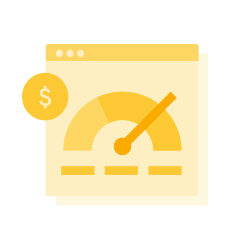
Your Quality Score has enormous influence over the cost and effectiveness of your paid search marketing.
Ads set up and results monitoring
Google Ads makes it easy for you to set up your ads and monitor your results. To get up and running, set up an account, identify the search terms you want to target, create your ad, and set your daily advertising budget. That’s it – you’re done!
Remember, Google Ads is completely measurable. To evaluate the performance of your ads, keep track of your numbers, including:
- How many people see your ads
- How many click through to your website
- How much sales revenue your website is generating from your ads
Remember, Google Ads is completely measurable to evaluate your ad performance.
Summary
The key to running a successful Google Ads campaign lies in making sure that you’re reaching the right people, at the right time. Aim to be in the top few results, so that your ad is more visible. Finally, track your return on investment (ROI) and constantly fine-tune your ads.
Follow these steps to set up your next paid Search ad on Google Ads.