




 Sign in with Google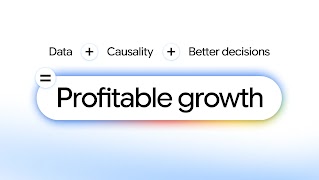
Data Strength is a foundational pillar of modern marketing, centered on building a trusted decision engine with first-party data. Your first-party data is your ultimate competitive advantage because it is unique to your brand. Combined with Google’s data, it creates the most powerful synergy for AI.
By connecting all your data sources—from your CRM and Cloud partners to website and app interactions—you create a complete view of your customers and power more effective, AI-driven marketing that significantly boosts your Return on Investment (ROI).
That’s why Data Manager is your one-stop shop, making it simple to connect all data sources, maximize your signals, and activate them easily across all of Google’s advertising platforms. It takes the complexity out of data management with personalized guidance, built-in diagnostics, and direct partner integrations. Best of all, it is built foundationally with privacy-enhancing technologies like confidential matching with no additional action required from you.
Here are valuable actions you can take to improve your measurement and ROI:
1. Connect Your Data Sources
Having all your data connected to your ads platform is the first step. It ensures you build essential signals effectively, which is vital for measurement accuracy and resilience. To get started:
Implement robust sitewide tagging: Whether you use the Google tag, Google Tag Manager or Floodlight tags - upgrade to Google Tag Gateway for advertisers to run tags on your own first-party website infrastructure. This upgrade builds greater resilience against signal loss, significantly improving the accuracy of your measurement signals and boosting overall performance.
Customers who upgrade to Google tag gateway see, on average, a 14% uplift in observed conversions1 and up to a 7% lower Cost per Acquisition (CPA).2
Tip
Connect your Google Analytics and Google Ads accounts: Link your accounts to supercharge your Google Ads campaign performance and unlock more helpful reporting to make better cross-channel measurement decisions. Be sure to include the Google Analytics for Firebase SDK to optimize towards app conversions.
Linking Google Analytics properties to Google Ads or Google Marketing Platform accounts has been correlated with a 23% increase in conversions and a 10% reduction in cost per conversion.3
Tip
Connect your offline sources: Pair your tag data with additional data sources by connecting your CRM, cloud instances, physical store data, or other offline sources to Data Manager for a comprehensive customer view. Whether you need point-and-click simplicity in the UI or enterprise-grade sophistication via the Data Manager API, it streamlines the journey from an online ad to an offline sale.
Advertisers who set up multi-source conversions with Data Manager see a 13% median increase in attributed conversions.4
Tip
- Instead of using multiple APIs, save setup time by passing data via the Data Manager API using the same schema as other ad tech platforms - no reformatting required.
- Once your data sources are connected, run a quick check using diagnostics. It catches setup errors early, ensures your conversion signals are streaming uninterrupted, and helps you maximize your bidding efficiency.
2. Maximize Your Signals
Once your data sources are connected, build your strength by enriching them with first-party signals about your customers, their purchases, and their interactions with your ads:
Customer data: Information that describes a user, such as a consented, hashed email address or phone number (the “High-Value Trio”). Whether an action happens on your site or down the pipeline, enhanced conversions matches this data against Google logged-in data to recover unobserved conversions.
On average, advertisers bidding to conversion value who implement Enhanced Conversions see an 8% incremental ROAS on Google Search campaigns.5
IP addresses: Unique numerical labels assigned to devices to help capture the full breadth of measurement. Including IP in Data Manager conversion imports achieves up to a 3% increase in observed conversions on Search6 and over 10% on YouTube.7 And soon, you will be able to activate this data using Customer Match. This ID is especially important for cross-device and view through conversion measurement.
Transaction ID: An event identifier, such as an order confirmation number or lead identifier. Transaction IDs connect frontend clicks to backend sales to capture net-new conversions.
Ad interaction signals (GCLID): The Google Click ID tracks which campaign drove each sale, ensuring conversions are accurately attributed to the correct marketing efforts.
Session attributes: Click and session metadata (like campaign ID, full landing page URL, session timestamp, and the browser/operating system) help you maintain continuity in measurement and ensure accurate campaign attribution.
URL Parameters (GBRAID/WBRAID): Strategic signal parameters that safely recover lost attribution for iOS conversions or private browsing environments.
Tip
- We recommend passing at least 3 identifier signals per event. To maximize measurement accuracy and performance, prioritize pairing key ad signals like GCLID and IP address alongside hashed customer data (such as email or phone number).
- We recommend passing all conversion events, not a subset of events. This benefits bid optimization for campaigns.
3. Activate Google AI
With your data sources connected and enriched with high-fidelity signals, you can fully activate Google AI as your performance engine to supercharge your bidding and audience capabilities.
Leverage AI-powered bidding: Use Google’s Smart Bidding strategies, like Maximize Conversion Value or Target ROAS, to automatically direct your spend where your dollar goes the furthest. Search campaigns utilizing Smart Bidding Exploration see an average of +27% more unique converting users.8
Activate your data with AI-powered campaigns: Your first-party data steers AI to optimize for your most valuable business outcomes.
- AI Max for Search campaigns: In a single click, supercharge your Search ads performance with a suite of AI-powered targeting and creative enhancements. Google AI will combine your first-party data with our unique understanding of user intent to help you find more net-new relevant searches, and tailor your ads and landing pages to match those interests in real time.
- Demand Gen: Spark purchase intent on Google’s most visual, immersive canvases (YouTube, Shorts, Discover, and Gmail). Feeding your first-party segments into Demand Gen helps you scale visually driven engagements and build highly precise lookalike models.
- Performance Max (PMax): Find and convert valuable customers across all of Google’s channels (Search, YouTube, Display, Discover, Gmail, and Maps). Pairing your first-party data with Google AI allows PMax to uncover high-value conversion opportunities in real time. By setting data-backed acquisition and retention goals—like using the New Customer Acquisition Value Mode, building lookalike audiences, or targeting lapsed users—you can strategically prioritize high-value growth.
Apply your customer signals: Reach your first-party audiences through solutions like Publisher Advertiser Identity Reconciliation (PAIR) in Display & Video 360 and Customer Match. In fact, advertisers applying Customer Match list signals see an average 5.3% conversion uplift.9 You can also use your first-party data to create lookalike segments for prospecting new, similar customers, and power optimized targeting to expand your reach to relevant new audiences who are likely to convert.
Based on an internal analysis, advertisers who build their data strength with Google tag gateway can see on average over 20% uplift in conversions in their Demand Gen campaigns.10
Tip
4. Prove Your ROI
Measure media incrementality with experiments across many campaign types in Google Ads, featuring lower budget requirements and improved methodology to validate net-new impact.
Optimize the full value of your budget with Meridian, Google’s open-source marketing mix model (MMM), and the budgeting tool coming soon in Google Analytics, to confidently allocate budgets, alongside the upcoming budgeting tool in Google Analytics.
Advertisers who build their data strength with first-party data see an 11% average increase in incremental ROAS.11
Tip
- Check out the upcoming data strength uplift metric in Google Ads to see the percentage of recovered conversions driven by your data strength setup in the last 14 days.
- Strengthen your data foundation before launching incrementality studies to maximize media effectiveness.
