





 Sign in with Google
 Human hustle meets AI muscle: How to level up your YouTube creative


Generative AI is fundamentally reshaping the marketing landscape. It’s no longer a buzzword and 41% of U.K. marketers already have a live GenAI use case up and running.
However, to drive performance and impact on platforms like YouTube, marketers need to move past the hype and turn GenAI into a practical level-up.
Competition is hot, but by using it as a partner at every stage of the creative process, brands can boost both quality and effectiveness.
GenAI is the guitar, not the genius
In 1965, when Bob Dylan plugged in an electric guitar at the Newport Folk Festival, the conservative folk-music crowd went wild — they booed and hissed. But Dylan knew that while new technology always unnerves purists, it ultimately opens up a universe of creative possibilities. That single moment paved the way for Jimi Hendrix, David Bowie, and the birth of punk rock.
Why does this matter? We’re living through that exact same moment right now.
It wasn’t the electric guitar that made those musicians geniuses, it was their vision. GenAI is the guitar, not the genius — the magic lives in the hands of the person using it.
Yet in the right hands, GenAI acts as pure originality fuel across inspiration, exploration, and iteration. It’s not here to replace ideas, it’s here to accelerate them. And, as we all know, more diverse, high-quality creative benefits everyone — the more powerful your creative, the more effective your campaigns.
From rough drafts to master crafts
Creative quality and variety are critical for driving performance. In fact, we know that YouTube VRC campaigns that include at least three vertical videos are proven to be more effective at lifting brand awareness.1 GenAI changes the game by enabling the rapid production of a diverse mix of YouTube assets — including long form, Shorts, Bumpers, and personalised ad variants — all while maintaining the high quality required by YouTube’s ABCD framework. Generative AI can help with two distinct areas:
1. Asset variety
Historically, building a high volume of asset variation was painful, expensive, and a constant point of friction between creative and media teams. Asset Studio acts as a free, one-stop shop to solve this directly within Google Ads. Its GenAI capabilities are built to help marketers and advertisers produce content.
Five key capabilities you can deploy in Asset Studio:
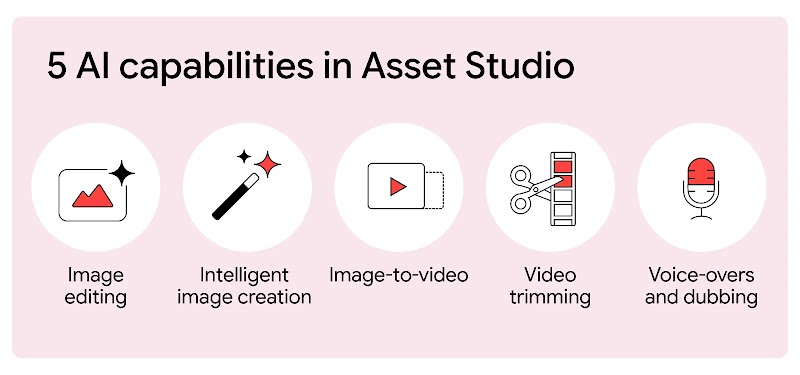
- Image editing: Effortlessly create multiple versions of a single asset by swapping backgrounds, modifying specific elements, localising text, or seamlessly extending images to fit any YouTube aspect ratio.
- Intelligent image creation: Generate photorealistic assets from scratch using simple text prompts, or instantly turn an existing product feed into campaign-ready ads.
- Image-to-video: Leverage the power of Veo to transform static images into high-quality, 10-second animated clips to bring static creative to life with your branding, logos, and music.
- Video trimming: Efficiently repurpose longer video assets by allowing AI to automatically detect the most impactful moments and shape them into short-form clips tailored for different placements.
- Advanced voice-overs and dubbing instantly enhance any video ad with a professional audio track choosing from a diverse range of natural-sounding voices, or dub existing ads into multiple languages at zero cost.
2. Generating storytelling brilliance
To push the boundaries of storytelling via enterprise solutions or specialised third-party tools, you must master creative consistency. At every stage of generation, choices are made. If you write a generic prompt, the AI makes those choices for you. If you write an over-constrained prompt, you might stifle its capabilities. The real power is unlocked in the sweet spot between human and AI collaboration.
To maintain character and style consistency across an entire campaign ecosystem, brands can use four technical workflows:
- Detailed character attributes and prompting components: Give subjects highly specific, visually and audibly recognisable traits. A proven tip is to use non-human characters (mythical creatures, animals, or stylised animations), as they are far more forgiving to the eye across multiple generations. Videos are currently limited to 8 seconds in length.
- Image-to-video sequencing: Provide a start and an end image and prompt an action. You can use Nano Banana to generate a precise sequence of static, style-controlled images to establish scenes, then use Veo’s image-to-video engine to animate the action between them before stitching them together in post-production.
- Reference-to-video: Upload a highly specific character or environmental reference image created in Imagen, and instruct the model to repurpose that exact asset across entirely new narrative scenes.
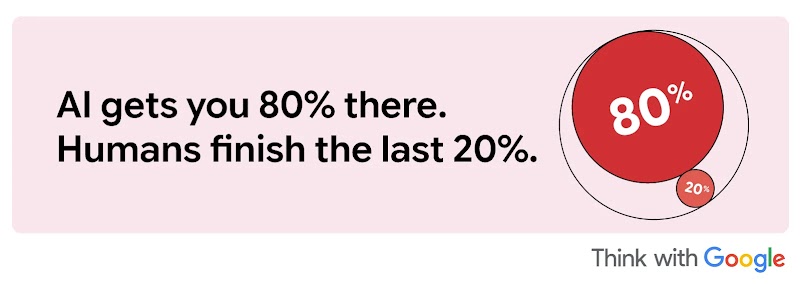
- The last mile post-production: GenAI tools are designed to get you 80% of the way there. The final 20% belongs to human craftsmanship. Use traditional post-production editing, precise color grading, typographic supers, and audio design to bind AI-generated clips into a unified, premium campaign look and feel.
The art of the perfect prompt
To gain maximum creative control over a scene, break your prompts down into these explicit structural components:
Subject description: Clearly identify characters, objects, or elements (e.g., “An elderly woman with kind eyes and silver hair, wearing a hand-knitted blue shawl” instead of “a woman”).
Scene/context: Specify the environment or setting (e.g., “a bustling, neon-lit cyberpunk alleyway” or “a warm, sun-drenched kitchen”).
Action: Describe the specific movements or events occurring (singing, running, discussing).
Composition and angle: Detail how the shot is framed (wide shot, close-up, low angle).
Camera movement: Specify what the camera is doing (tracking shot, POV, slow dolly out, or a locked-off cinematic frame).
Visual style and ambiance: Outline the dominant aesthetic and lighting (e.g., Film Noir, 3D animation, or rich burgundy floors contrasting with neutral industrial charcoal tones).
Dialogue: Provide character speech in transcript format using quotation marks.
Audio Cues: Include implicit or explicit hints about desired sound elements.
Tip: You can upload a reference image to Gemini, ask it to deconstruct and describe the frame in detail, and use that output to construct your next prompt.
Plug in and play: Build your YouTube action plan
Outstanding YouTube creative has always lived or died by a team’s ability to capture attention, hook viewers in the first few seconds, and tell a story that resonates across multiple formats — from a 6-second Bumper to a 10-minute deep dive. GenAI doesn’t change that fundamental human craft, but it does accelerate it.
By treating GenAI as your ultimate production partner, you can stop compromising between the volume of assets YouTube demands and the high-quality execution your brand requires. Let AI handle the heavy lifting of formatting, variation, and rapid prototyping so you can focus entirely on the creative breakthroughs that win the algorithmic feed.
The electric guitar is in your hands. Plug it in, fuel your originality, and make a big noise on YouTube.
Ready to get started? There are many different paths into Google’s Gen AI models, depending on your creative requirements:
- Enterprise solutions: Directly through Google Cloud for custom, cloud-scale needs, and Google Flow, which is free to start.
- Pro tools: Through leading third-party creative partners and production platforms who have built unique, specialised workflows on top of our foundational models.
- And first party: The most immediate option for marketers — Google Asset Studio — you can start using inside Google Ads today, or Gemini itself.
Social Module
Share