





 Sign in with Google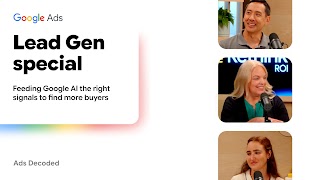
Join Google’s Ads Product Liaison Ginny Marvin for this deep-dive conversation with Google Ads data and measurement specialists on building your data pipeline for lead-to-sale success.
Episode overview
In this special live edition of Ads Decoded at Google’s Rethink ROI event in New York City, host Ginny Marvin sits down with Steven Chang (First-Party Data Management and Measurement Specialist) and Natalia Bohm (Conversion Solutions Specialist) to break down why a strong data foundation is the real engine behind successful lead gen, and how to feed Google AI the signals it needs to find more of your best customers.
In this episode:
- Why website tags alone are just the start, and how first-party data builds the foundation for lead-to-sale performance
- Recovering lost conversions and adapting to privacy shifts with Google Tag Gateway
- Bringing your CRM data into Google Ads with Data Manager to power both conversion measurement and AI-powered campaign performance.
- Training Smart Bidding on the full journey by optimizing for both online form fills and offline sales milestones
- The crawl, walk, run roadmap for data strength: how to start small with quick tag upgrades before taking on deeper CRM pipelines.
Want Ginny’s key takeaways and tips from this conversation? Subscribe to the Ads Decoded newsletter.
Additional resources
Watch the keynote and learn how to win the lead-to-sale journey in the age of AI.
Transcript
Ginny: Hello, and welcome to a special edition of “Ads Decoded.” We are here live in New York City for Google’s Rethink ROI event, and this is geared specifically for marketers with lead generation goals. If you caught the livestream keynote, we’re going to be diving deeper into the nuts and bolts of the ways you can set up your campaigns for lead to sale success in Q4 and beyond.
Today, I’m joined by Steven Chang and Natalia Bohm. Steven is a specialist in first-party data management and measurement, and Natalia is specializing in conversion solutions. Thanks so much for joining us.
Natalia: Thanks for having us.
Ginny: All right, let’s start at the bottom, the foundation of data strength. We’ve talked about it in previous episodes, but let’s make sure that we set this straight: what is data strength and why is it so important?
Steven: Historically, the feedback loop of when someone had a conversion was all handled by a Google tag, right? We told all of our marketers, our customers, to put a Google tag on the website. Whenever purchases happened, that Google tag would handle all of the round trip of sending that data back to Google for Google to then drive even more results. That was a pretty straightforward thing. Put a Google tag on your site and you’re done.
But with consumer behaviors changing, like social commerce, cross-screen living room media consumption, that signal is no longer the only thing. You need a lot more.
Ginny: To make those connections.
Steven: To make those connections, to have a fuller picture, and really just to stand out as a marketer versus your competitors.
Ginny: And it’s both for measurement and for performance.
Natalia: Exactly.
Ginny: Yeah. Speaking of the Google tag, we did just recently make several updates to tagging solutions. I just want to quickly run through those.
Tagging, we’ve said, is sort of the foundation of data strength, and then we’ll build on that. Consolidating the Google tag in Google Tag Manager enables measurement settings across any single source, so you can measure across Google Analytics and Google Ads from one spot.
We have also added visual tagging for events, which is so cool, making it as easy as just walking through your website along the customer journey through to the sale to be able to feed that in and get that tagging event. So no coding needed. What can or should these updates mean for practitioner workflows?
Natalia: Yeah. I would say the main thing we see consistently is that for advertisers, oftentimes the team managing the tag implementation is not the marketer itself.
Ginny: Yeah.
Natalia: It’s the internal IT team. And so this hopefully allows the marketer, who is the person that ultimately cares about tagging, tracking, and measuring these conversions appropriately, to go in in a way that doesn’t require having tagging expertise, use Google Tag Assistant, like you mentioned, and see not only how to implement it themselves, but also go in and verify: is this implemented correctly and optimally? Are there any opportunities? Are there certain pages that should have tagging implemented that don’t?
Ultimately, we’ve allowed you to do a lot of that tagging work that doesn’t require prioritization from an IT team internally. So hopefully that is an improvement that should help marketers across the board.
Ginny: Yeah. I mean, certainly I’ve experienced the “Oh, you can get that in next quarter” pushback from IT for tagging updates, so that’s incredible. I think one thing I’ve seen is there is some concern that if everyone can set up a tagging event, how do we make sure that we’re maintaining hygiene?
It’s important to be in close communication, to have a tracking system for who’s making what updates, and also just a good reminder for an audit.
Steven: And the merger of the UIs is essentially saying there’s only one place to do it. It doesn’t matter which Google product you’re in, there’s just one place to manage tags. Now everyone is going to the same place, no matter which door they’re coming in from, we can all see it. They’re all in the same place. That’s the value of that.
Ginny: I mentioned doing tagging audits, but it’s always a good reminder to not set it and forget it. Set a regular cadence for auditing your tags, not only for what’s currently set up, but for what might be missing.
I want to quickly talk about Google Tag Gateway. We’ve had a lot of conversations about Google Tag Gateway, but I think there are still some misunderstandings about what it is, what it’s meant to enable, what gaps it’s supposed to fill, and what is technically involved with getting Google Tag Gateway enabled.
Why don’t we start by explaining a bit more about what it is and what it’s supposed to help marketers accomplish?
Steven: Think of Google Tag Gateway as a supercharged version of a tag. Historically, let’s say I’m steveshoes.com. When I put a Google tag on my site to measure conversions, it’s basically hosted on another domain. Someone visiting my website sees steveshoes.com, but when the Google tag loads, it’s coming from a Google-hosted domain. From a browser and privacy lens perspective, this is increasingly viewed and treated as undesirable.
As a result, measurement suffers and fewer conversions are measured. What Google Tag Gateway does is allow me as a marketer on steveshoes.com to host it on my own domain. The tag piece of code is effectively hosted coming from steveshoes.com. If your website is hosted on a content delivery network (CDN), or you use a content management system, such as Wix and those other pre-hosted websites, you effectively are configuring your tag to be served by those hosts.
It looks like it’s coming from you, and you get to manage and configure it. As a result, you get better measurement.
Ginny: Okay. From a better measurement standpoint, that means it can recover more observable conversions. Very helpful.
I want to turn to Data Manager in Google Ads, Google Analytics, and Display & Video 360. For those who are not familiar, why don’t we start with what Data Manager is?
Steven: Yeah. Data Manager is a door to bring this first-party data that we talked about earlier into your ad product really easily.
Historically, this has been a really hard thing to do. You had to upload spreadsheet files if you wanted to bring data in that wasn’t being recorded by a tag, or you had to code to an API. But Data Manager is the one Google door to bring first-party data in.
Whether you use Google Ads, Google Analytics 4, or any of our Google Marketing Platform products, it’s the one door that appears in each product to let any marketer or their team bring that data in for measurement or for Customer Match audiences.
Why did we build it? Because we heard we had a “too many doors” problem. For years, we’ve had a lot of different doors, different APIs, and different ways of bringing data in, and people kind of threw their hands up in the air. So we said, “Yeah, you’re right.”
Data Manager is the culmination of that, saying, “All right, we heard you. One door.”
Ginny: Yeah.
Steven: No matter what you’re doing, just come here.
Ginny: In Google Ads, it’s right in Tools. I encourage anyone, if you haven’t checked out Data Manager, to go in there. The starting piece is understanding all of the connectors that are currently available.
Natalia: Another big shift is that historically, if you were an advertiser and wanted to do measurement with enhanced conversions or personalization with Customer Match, you had to set up two different API connections.
Ginny: Yeah.
Natalia: So you had to do the same work twice. With Data Manager, whether via the UI or the API, our goal is to allow you to upload the data once and unlock multiple use cases, so you’re not having to manage multiple connections for multiple use cases.
Ginny: I want to also talk about the diagnostics for API diagnostics. Natalia, you were mentioning earlier row-level diagnostics and how helpful that’s been.
Natalia: We acknowledge that sending us data—as much as we can make the initial setup experience easy—can be complicated because the way your data is structured and the way Google processes it isn’t always aligned.
We want to make sure advertisers can quickly pinpoint where there are formatting issues or opportunities to add more complete datasets for conversions you’re sending. We’ve invested heavily in surfacing those insights on how to improve and what the health status of your implementation is. Whether on the tagging side or in the Data Manager API lens, we surface these insights and let you see at a granular, row-level where specifically an implementation error is.
Historically, we would say, “Hey, you need to fix a hashing issue,” but didn’t give the detail to say, “These rows are the ones that need a better look.”
These row-level diagnostics have cut down the time from surfacing the issue to resolving it, versus having to manually go in row by row.
Ginny: Yes. Okay. You mentioned enhanced conversions earlier, which is also launching in Google Analytics and Display & Video 360. We’ve also made implementing enhanced conversions easier by combining enhanced conversions for web and enhanced conversions for leads so there aren’t two separate workflows.
I want to understand why enhanced conversions is so important for data strength for advertisers to keep in mind, and once you have it set up, if there is something you need to do to activate it.
Natalia: Yes, that’s a great question. User behavior has been changing, so a lot of conversions start out on a mobile device on the way home from work and end up converting on the website.
That is where enhanced conversions really shines as a measurement solution. You can send it via tag or API, and ideally both channels, because as Steven mentioned, there are certain conversions not picked up by your tag that you want to send via your API, and vice versa. Ultimately, that allows you to track those conversions.
Without enhanced conversions, you’re missing out on critical conversions you otherwise would have captured. We have a corresponding enhanced conversions diagnostics experience you can visit, and post-adoption in the UI we surface an uplift, so you can see your custom advertiser uplift from adopting to see how much incremental benefit you’re getting.
That is where the business value is for marketers. One big piece of feedback we’ve actioned is that advertisers often said, “Am I an ‘enhanced conversions for web’ customer, or an ‘enhanced conversions for leads’ customer? I don’t know which one to implement.”
In the spirit of making things easier, we’re merging the two together so an advertiser doesn’t have to sit there and wonder which solution is right.
Steven: Back to what Natalia mentioned earlier: data strength is just good data. The more signals you provide, the better Google AI can perform. Both Google Tag Gateway and Data Manager have new privacy features built in, like trusted execution environments (TEEs), effectively clean rooms.
Anyone who uses Google Tag Gateway or Data Manager gets this for free; it’s built in. The main point is better privacy built in for free in Data Manager and Google Tag Gateway. With these new ways of passing in sensitive data - if you pre-encrypt it - you can get higher match rates and better performance.
Ginny: Thank you for bringing that up. We’ve talked about it in terms of Customer Match, but it’s great to have that broader understanding of TEEs. Is there anything else on enhanced conversions you want to touch on?
Natalia: We talked about tagging improvements, Google Tag Gateway, and TEEs, so all these things are working together. With enhanced conversions, we are investing heavily in how to derive more value. Whether it’s better match rates, more uplift in conversions, or meeting the increasing bar of privacy safety, we’re committed to investing in that area.
Ginny: What would you say to an organization listening to this thinking, “I know we have pieces of this done, but what should we do tomorrow within our organization?” What are the, like, four things you would say to the practitioner who wants to make sure their data strength is as robust as possible?
Steven: I can take a first pass. I’m sure you have some thoughts here.
Ginny: Four is an arbitrary number.
Natalia: Why don’t you do two, and I’ll do two?
Steven: Yeah. There are some obvious wins. If you’re already measuring and have a Google tag and care a lot about those conversions and bid to them, the most obvious next step is to look into upgrading to Google Tag Gateway. As Natalia said, we have native in-UI support in our product or guided flows outside our product to help upgrade your existing tag to Google Tag Gateway. That’s almost a no-brainer.
If you haven’t adopted enhanced conversions, do so. We’ve made it easier.
Ginny: In Data Manager.
Steven: In Data Manager. We heard loud and clear that everyone has many priorities to juggle and wants to know the ROI for anything requiring action.
Think about things at a crawl, walk, run type of staging, and use that to build trust and buy-in for the changes you propose to your team.
Some easy wins are: “We can get 14% more conversions if we upgrade to Google Tag Gateway. Here are the options.” That seems like a pretty good crawl-to-walk thing to do.
Look at the results, share them, have everyone feel good about the ROI, and keep leveling up. Don’t try to do it all at once. Doing it all at once requires a lot of different people and is a hard sell internally.
Natalia: Plus one to all of that. Marketers do a lot of work to set up these implementations, whether it’s Google Tag Gateway or enhanced conversions, and then they want to test and prove out proof of concept. Most importantly, make sure you optimize towards this.
Ginny: Yes.
Natalia: When you’ve set up the conversion and feel good about it, make sure you optimize and bid your marketing objectives towards that conversion with those signals in them.
We’re making strides to help advertisers feel good about implementation, troubleshoot if needed, and make sure they’re optimizing and bidding towards that tracking conversion. One main thing we see with lead generation customers is they often say, “I’m going to send all my data offline. Tagging doesn’t make sense for me,” or “Offline is too challenging, so I’ll measure towards a shallow conversion on my website.” From a bidding perspective, neither is optimal.
We want to make sure whether you’re lead gen or an online advertiser missing conversions, you do both offline and online. Start with one, but ideally implement both and optimize towards that conversion. Historically, advertisers did one or the other, or they’ll do both, but have one conversion with one and another conversion with another.
Then they’d A/B test. We want to bring those together, which is a big shift for how marketers historically approached measurement.
Steven: We also know many lead generation marketers care about what’s happening lower funnel off the website. Historically, we’ve told them to start measuring that, and that still stands true.
In Data Manager, we have off-the-shelf CRM integrations and cloud platforms like Google Cloud, AWS, or Snowflake. Wherever your data is, we make it easy to measure mid-funnel, sales-qualified leads, marketing-qualified leads, and converted leads. That best practice still stands, but Data Manager makes it easier.
Second, if you’re already doing it and bidding to it, the same tactic applies: if you have that pipe set up and are measuring lower-funnel leads, fill that pipe with even more signals.
You’re enriching the quality of signals coming through that pipe.
Ginny: And in turn making more conversions observable...
Steven: Yes.
Ginny: … measurable, and feeding back into the bidding system ...
Steven: Yes.
Ginny: ...to understand what a good customer looks like to you.
Steven: Yes.
Ginny: Lead intent scoring was mentioned at Rethink ROI and is currently in pilot. It’s a new predictive metric that assigns a lead intent score for leads coming through Google Ads. We’d love to hear more about it and who it is best suited for.
Steven: The core problem we heard from folks, regardless of whether they use Google solutions, was that there is a mixed set of different types of leads coming through the door. Among people who fill out a form, some might have high intent, some low intent, and some TBD until you know more about them.
What this score does is use Google signals and Google AI to score their intent level—high, medium, low—as they fill out the form, so when they enter the sales or marketing funnel, you have a hint of how much time to spend with the lead.
Ginny: Following up on this lead, yes. And where to prioritize.
To clarify, lead intent score is not used in bidding. It’s a metric used organizationally to prioritize where you spend time.
Steven: Yes. It uses Google site signals from Google signed-in account data and other signals we haven’t historically used here.
We’re sharing some of that to help make the day-to-day easier for lead marketers.
Ginny: That’s great. From a workflow standpoint, that’s a really big opportunity.
Journey-aware bidding.is a backend update in beta in Search campaigns with Target CPA. Could you talk a little bit more about how journey-aware bidding works?
Natalia: Historically, the system tries to find clicks and conversions that are likely to convert at a high level. If you’re a lead generation advertiser, especially with long conversion windows, the bidding data to train on is sparse. How do we give bidding more signals to better understand if a potential lead is likely to convert from a shallow form conversion?
Steven: I’ll add to the concrete aspects. If you measure an upper-funnel conversion like someone filling out a form without bidding to it, and you bid to the lower funnel by importing leads from Data Manager.and those leads are sparse, that’s where journey-aware bidding magic happens.
It becomes aware that this is the start of a journey and receives a signal that they converted. It uses that to improve performance beyond treating them as two separate things.
As a marketer, you don’t have to do anything. This is just Google AI getting better.
To qualify, you must bid to something lower-funnel. Our AI gets smarter by using upper-funnel signals to deliver better lower-funnel results.
Ginny: Yeah, which has been a long-time desire for marketers. To your point, this is a backend update, so there’s no specific action you need to take.
Steven: Right.
Ginny: We heard a lot at Rethink about Demand Gen, YouTube, and Search working well together as a complement. Why is data strength so important for Demand Gen specifically? We often talk about it in terms of creative optimization for highly visual experiences, but why is data such a key fundamental piece of success with Demand Gen?
Natalia: If you think about Demand Gen, more so than on Search, you have creative, targeting, and bid components that impact mid-funnel and late-funnel performance feeding Search. In terms of generating demand, serving the right ad to the right person at the right time is critical, so we need your first-party data to better understand who your customers and future customers are.
Feeding that first-party data in helps not only from a measurement perspective, but also for campaign optimization. The more we know about your first-party data, combined with Google AI, the better we can develop a custom solution to meet performance objectives.
Ginny: Great.
Steven: I’ll add to that. A lot of YouTube interactions, critical interactions, don’t involve a click. The only data we have are engaged views of someone watching, watch time, and engagement. We mentioned earlier that Demand Gen consisting of YouTube involves cross-screen inventory: living room TV, mobile, etc.
The best ingredient to tie that together is enhanced conversions and other signals. It’s increasingly important when looking to unlock Demand Gen.
Ginny: It was a focus in the Rethink keynote to talk about Demand Gen with Search and why they complement each other when thinking full customer journey. It may not be top of mind for lead generation advertisers, as they might think YouTube is for retail and commerce. Maybe we can talk about how data strength helps create audience segments for lookalikes and fosters awareness down to Search.
Natalia: Yeah. If you’re a lead generation advertiser, you probably have a longer conversion cycle than a retailer, depending on the type of retailer.
The beauty of Demand Gen is driving lower-funnel activity, which has historically been Search. We want to help advertisers as customers do cross-research, as it’s easier than ever for customers to research. We want to meet customers where they are.
We also had recent updates: GeoX, our open-source library for running incrementality experiments, is now available in Meridian, which is exciting. Agentic capabilities are also coming to Meridian, making it easier for marketers to work, build models, and audit.
What are your top one to three must-do action items for marketers after watching this episode?
Natalia: The first basic one is making sure you have the Google tag implemented, and implemented correctly on all your websites where you track conversions that matter to evaluate business outcomes. So just general tag health. It sounds obvious, but -
Ginny: Google Tag Assistant is helpful.
Natalia: Google Tag Assistant. We look at accounts all day, and having a weekly or monthly checklist to review tag health is essential. That’s my first one: an oldie but goodie.
Steven: You gotta start somewhere.
Ginny: Love our fundamentals here.
Steven: First, find out where you’re at. Google tag updates make it easier to understand current status, fixes, and levels. In the spirit of crawl, walk, run, look for low-hanging fruit. Upgrading your tag to Google Tag Gateway is a worthwhile step within reach for most marketers or their teams.
Similarly, if you haven’t yet invested in tagging or are bringing in data through legacy APIs like offline conversions API or ECL API, think about moving to the new door: Data Manager. In Data Manager, we’ve made it easy to start layering on signals. Test and iterate.
Natalia: When doing the Data Manager API integration, think about what to do in the spirit of crawl, walk, run. Over time, as you start adding signals, you’ll see improved campaign performance. Don’t wait until you have a full dataset ready to send. Sending data over time slowly is easier than trying to do it all at once.
Steven: Can I throw in one? If all this sounds like gobbledygook, and you don’t know what’s going on, that’s fine.
Data Manager UI is not just a place to bring data in. We’ve launched new views that frame all of this.
Ginny: Yes.
Steven: If you go to the Data Manager UI and don’t know what’s going on, the front page gives you that view. We have a map view that shows all the various pipes or things you haven’t connected, and how your data flows in now, as well as highlighting opportunities.
Ginny: Yes, it’s so helpful. Love a visual! It’s always great.
Huge thank you to Natalia and Steven for sharing their expertise, and be sure to catch more insights and resources on the Ads Decoded newsletter on Google Ads’ LinkedIn page. Be sure to subscribe. Thanks so much for tuning in. Until next time.
