





 Sign in with Google
 To help you launch campaigns with greater speed and predictability, we are introducing Real-Time Policy Reviews. Currently available for Responsive Search Ads and rolling-out to other campaign types later in the year, this feature provides instant feedback during the ad creation process, significantly reducing the time it takes for your ads to begin serving.
What is changing?
We are evolving the ad review experience to be more integrated and faster than ever before. Real-Time Policy Reviews bring the review process directly in your creative workflow, providing instant feedback as you build and save your ads. This shift allows policy-compliant ads to bypass traditional wait times and begin serving almost immediately. After the launch of Real Time Reviews, review times of over an hour are now typically happening in real-time1, giving you the speed and confidence to launch your campaigns at the moment of intent.
A Seamless, Interactive Creation Experience
Real-Time Policy Reviews integrate directly into your workflow, at two critical stages:
- While you create: As you draft your headlines and descriptions, the tool provides instant, per-field checks for editorial issues. This allows you to catch and fix simple errors like typos or capitalization issues before you even click “Save”.
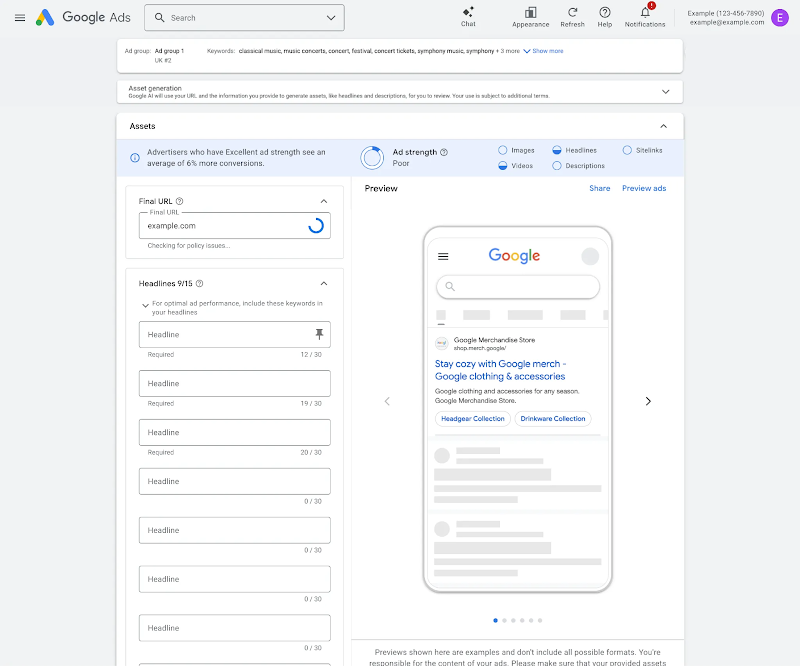
Checking for policy issues in campaign construction
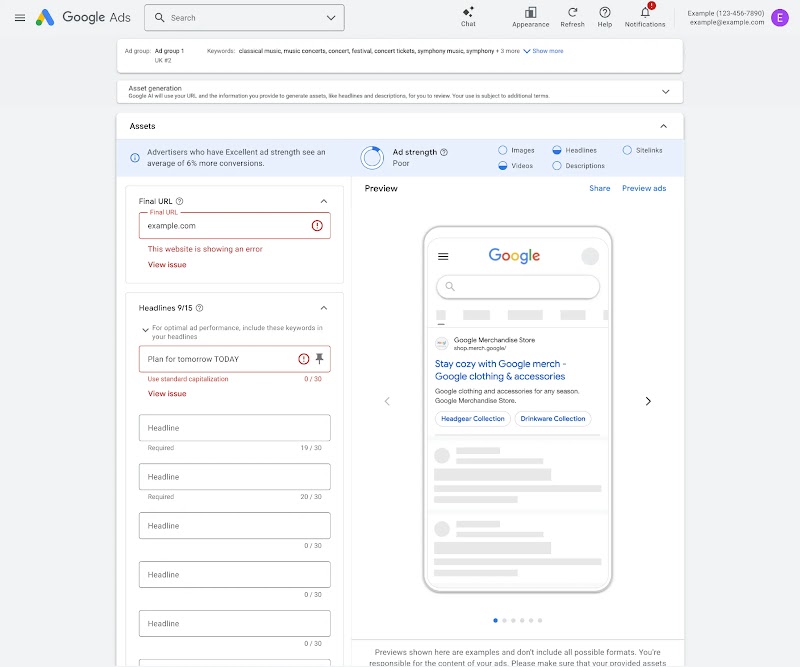
Showing policy issue in campaign construction
- When you save: The moment you save your ad, you receive an immediate policy decision.
- If no issues are found: Your ads are approved and ready to serve immediately.
- If policy issues are found: You will be notified via a new post-save policy page.
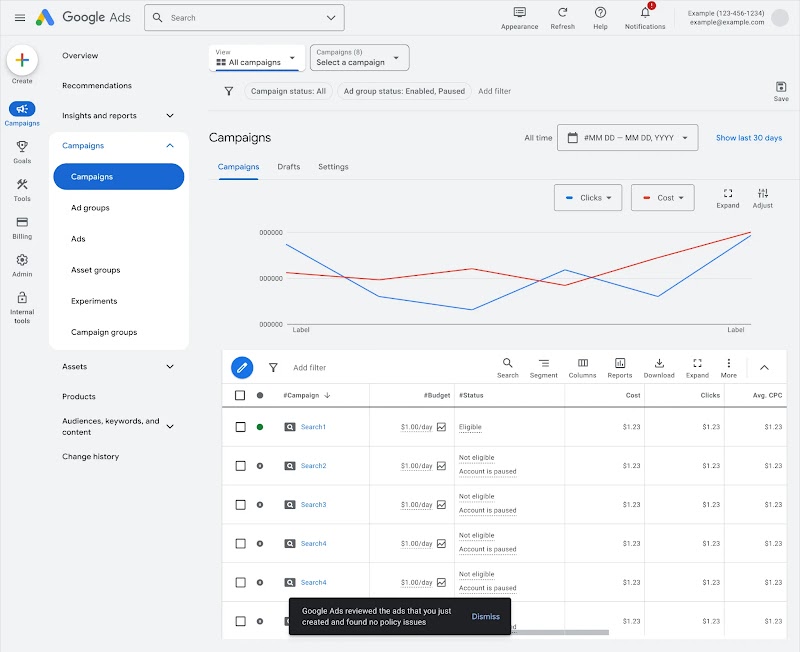
No policy issues flagged and campaign being published
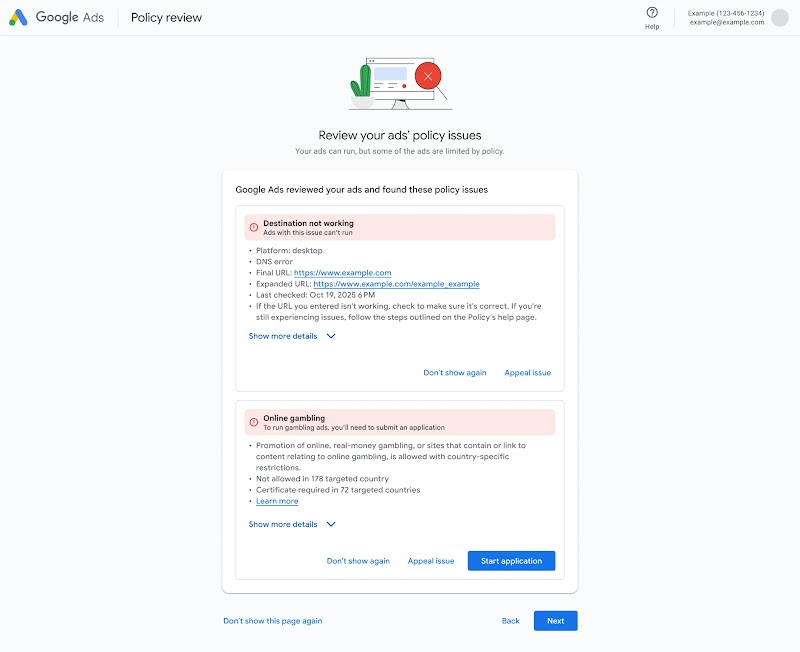
Policy issues flagged post campaign construction
High-level policy guidance
To keep your workflow efficient, policy notifications are grouped into two high-level categories based on the action required.
| Category |
What You Will See |
| Editable Issues |
Instant flags for editorial and destination issues (such as symbols, destination not working or capitalization) that you can fix directly while still in the creative flow. |
| Complex Issues | For policy violations that require specific next steps (such as applying for a certification or appealing), a new policy review page will help you understand the issues and explore remediation options. |
Why this matters
This proactive guidance empowers you to build fully compliant ads from the very first draft.
As Tommy Chan, Director of Search Marketing at L’Oréal, noted: “With real-time policy reviews, our Search Ads go live and start serving right after we hit ‘Save.’ This instant agility is invaluable for our most critical campaigns”.
Availability
Real-Time Policy Reviews currently support text assets within Responsive Search Ads across the Google Ads UI and Google Ads Editor. Coverage is expected to expand to Performance Max and Demand Gen campaigns in the second half of 2026.

Josep Saurina
Product Manager, Ads Creative
