





 Sign in with Google
 Asset Studio has been upgraded with a powerful suite of AI-powered tools, including the new Nano Banana Pro image generation model. This guide provides actionable steps for using these new features to create high-performing ad creative with greater speed and efficiency.
Step 1: Get Started with Nano Banana Pro
Nano Banana Pro is Google’s most advanced image generation model, now available in Asset Studio. You can access it in eight languages: English, Spanish, Dutch, French, German, Italian, Portuguese, and Japanese.
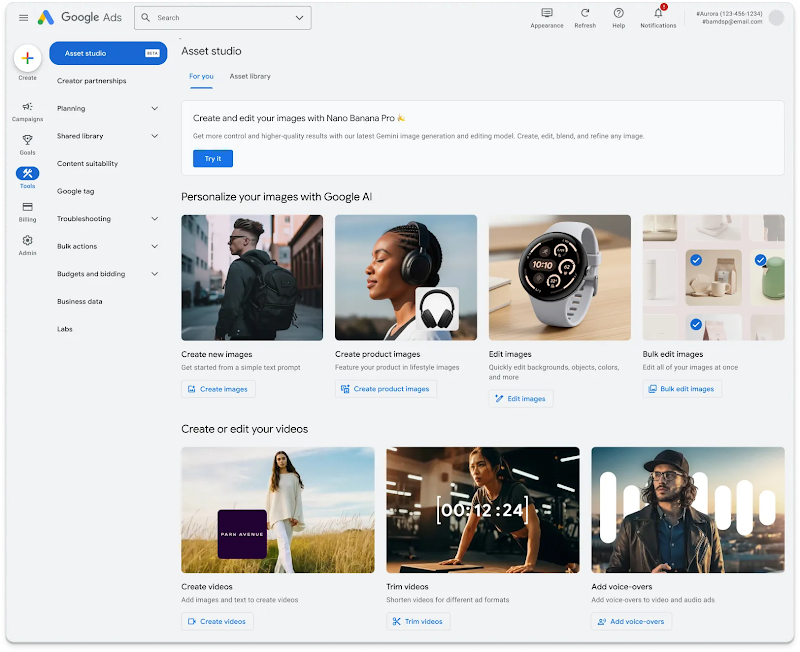
How to Write Effective Prompts
To get the best results from Nano Banana Pro, it is important to write effective prompts. Here’s a two-step process to follow:
1 . Establish the Vision: Start by defining the story, subject, and style of the image. Your prompt should answer questions like:
- Who or what is in the image?
- How is the shot framed?
- What is happening in the scene?
- Where does the scene take place?
- What is the overall aesthetic?
2. Refine Your Prompt: Move beyond the basics and add advanced elements like:
- Composition and aspect ratios: Specify how the elements in the image should be arranged.
- Camera and lighting details: Define the camera angle, lens, and lighting for a more specific look.
- Text and reference assets: Clearly state what text should appear and how your reference assets should be used.
Step 2: Master the AI Image Editor for Brand Consistency
A key feature of Nano Banana Pro is the ability to maintain brand consistency across all your generated assets.
How to Maintain Brand Consistency
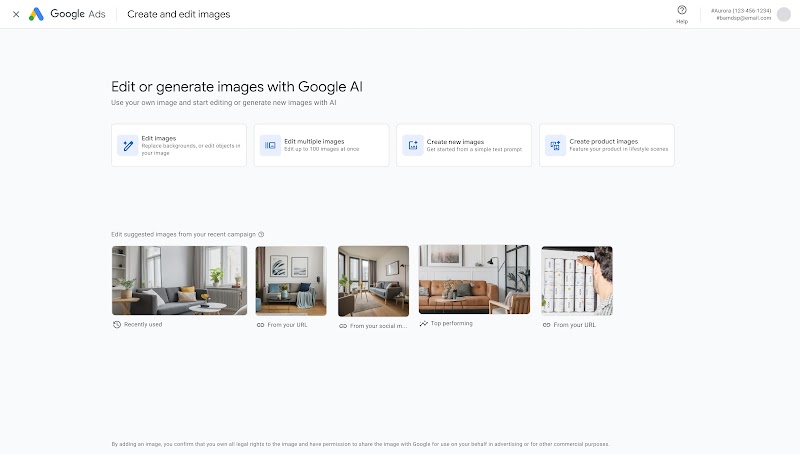
You can provide reference images—such as your existing brand assets, a mood board, or top-performing creatives—for Nano Banana Pro to adopt your unique style, color palette, and aesthetic. This ensures that every image you generate feels authentic to your brand. You can also use the AI Image Editor to perform background swaps, image expansion, and object removal or replacement to further refine your images.
Step 3: Create, Share and Streamline your Workflow
Asset Studio introduces several tools to streamline your creative workflow.
Video Tools:
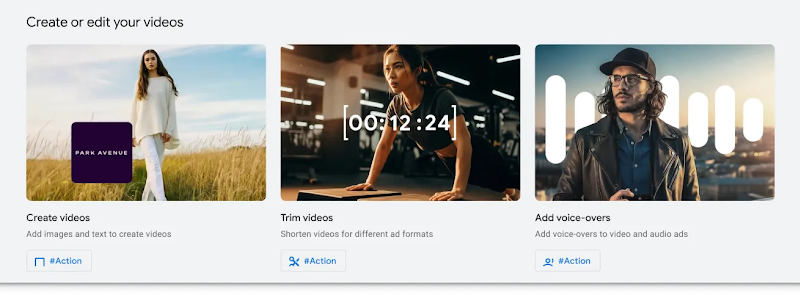
- Video Builder: Create new videos from your existing assets.
- Trim Video: Create shorter clips from longer videos.
- Voice-over tool: Add a voice-over to your video ads.
Faster Approvals with Shareable Asset Previews
To speed up the approval process, you can use the Shareable Assets feature to generate unique links that allow stakeholders to preview any image, video or text asset in Asset Studio.
By combining the tools and features highlighted in this guide, you can adopt a “Create Once, Deploy Everywhere” workflow to overcome the bottlenecks of manual asset adaptation. Here are some final tips to put it all into practice:
- Break Through Creative Fatigue: Use the prompt engineering techniques from Step 1 to generate endless variations of your core creative assets with Nano Banana Pro.
- Resize and Format at Speed: Use the AI Image Editor from Step 2 to instantly generate all required ad sizes from a single master asset.
- Combine Assets for Agility: Use the Video Builder from Step 3 to automate the assembly of component-based creative, such as swapping product shots or calls-to-action, without a full-scale redesign.
By following these actionable steps, you can leverage the new AI-powered tools in Asset Studio to create at the speed of your ideas and drive better performance in your Google Ads campaigns.
