





 Sign in with Google
 Who is this guide for?
Amidst ongoing uncertainty and the constantly-evolving consumer journey, people’s needs and preferences have become a lot more unpredictable, making it increasingly complex to engage them.
In this guide, you’ll learn how you can make your products stand out and combine your marketing expertise with Google AI-powered ads solutions to drive profitable growth and keep pace with consumers’ rapidly changing behaviors. Your knowledge of your customers and your business are key factors in guiding Google AI to success and differentiating your business from your competitors.
TL;DR: Dive deep into retail’s latest announcement
Enhance your product feed to help your Shopping ads stand out
- Use high-quality, product-first visuals.
Why: Close-up product shots with a white background make it easy for customers to see product details, helping you drive more engagement.
Note
- Ensure your product data is accurate and up-to-date.
Why: Accurate data, like price and availability, is key to ensure your ads showcase the information your customers are looking for. Upload rich product descriptions and update product prices and availability if they change often.
Tip
Note
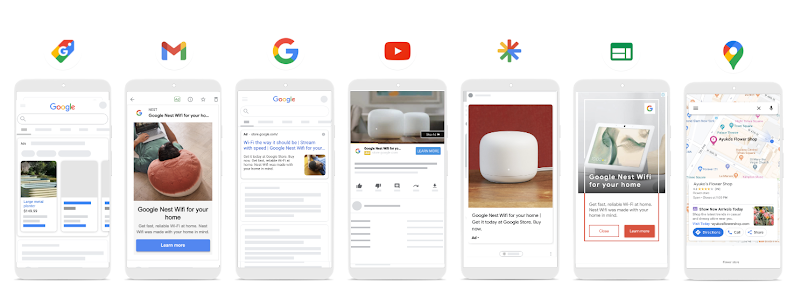
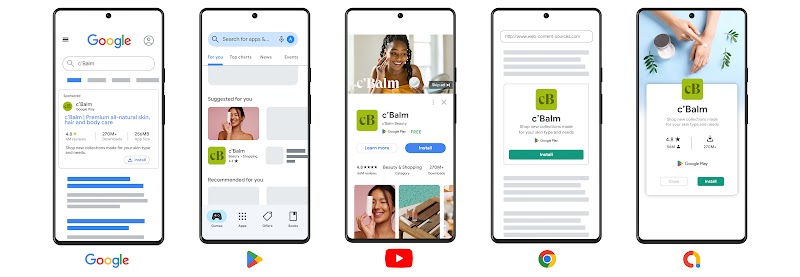
Reach your customers wherever they are
Optimize your campaigns to drive more performance
- Optimize your budget with Performance Planner
Why: Performance Planner lets you create plans for your advertising spend and assess how changes to campaigns might affect key metrics and overall performance.
- Understand your performance and customers with the Insights page.
Why: Featuring just-in-time trends and forward-looking insights, the Insights page in Google Ads gives you visibility into what’s driving your performance, while surfacing relevant trends in your market. By checking the Insights page often, you’ll be able to better understand how your customer interests and preferences are shifting.
- Apply recommendations to improve your performance
Why: Recommendations can help you improve performance by surfacing the most impactful optimization opportunities based on your account’s performance history, your campaign settings, trends across Google and more. Review your recommendations regularly to continuously identify new opportunities and apply recommendations that support your business goals
- Check your optimization score to evaluate recommendations
Why: Each recommendation shows how much your optimization score, an estimate of how well your Google Ads account is set to perform, will be impacted when you apply it. Use optimization score to prioritize the recommendations that will have the biggest impact on performance. The score and recommendations are dynamic and tailored to your business, so it will reflect new recommendations as they arise, based on shifting demand and changes in the market.
- Improve product performance with Product insights
Why: The Product Issues column in the Products tab in Google Ads helps you understand the performance of individual products in your campaign and resolve potential issues that may be impacting your reach. From there, you can access insights to easily spot underperforming offers, identify products with missing feed attributes, and see how competitive your products’ bids are.
- Evaluate your product strategy with Merchant Center reporting
Why: Make inventory decisions and prioritize which products to show in your advertising campaigns with the best sellers report. With this information, you can improve your pricing and bidding strategies on top products using insights from the price competitiveness report. Use the Reporting API to ingest and analyze the data from these and other Merchant Center reports at scale.
