





 Sign in with Google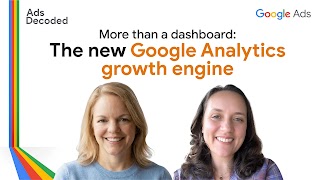
See how GA4 has evolved into a campaign activation engine in the season premiere of Ads Decoded podcast. With host Ginny Marvin, Ads Product Liaison.
Episode overview
Let’s face it, the transition to GA4 wasn’t easy. If that hurdle has left you feeling disconnected from your data, this episode is the re-introduction you need to help turn Google Analytics from complicated chore to strategic advantage.
It’s time for a fresh start. Over the past year, a ton of new features and capabilities have rolled out to help advertisers get more out of Google Analytics. That includes more ads reporting capabilities. But what’s really exciting is that Google Analytics is becoming an activation engine for your campaigns – across your marketing mix.
In this episode of Ads Decoded, Ginny Marvin sits down with Eleanor Stribling, a Group Product Manager, Google Analytics, for a candid reset. We’re moving past the migration headaches to reveal what GA4 actually is today: an activation platform for predicting, planning, and enabling your next media opportunity.
Also in this episode:
- Why ‘Data Strength’ is your new competitive advantage
- The measurement audit: Is your setup firing on all cylinders?
- Feature spotlight: ask questions and get insights from your data by chatting with Analytics Advisor
- Community Q&A: Why don’t my Google Analytics and Google Ads data match?
Additional resources
Boost your ROI with Data Manager
Supercharge your Google AI and drive growth with your own first-party data.
Learn about confidential matching
Securely connect and process your first-party data in Google Ads.
Format your data so it can be imported into Data Manager successfully.
Connect and edit your data sources in Data Manager.
Ask questions and get insights from your data in Google Analytics.
Get more from Google Analytics
Follow these best practices to gain more insights from your website and apps.
Transcript
Ginny: It’s no secret that the transition from Universal Analytics to Google Analytics 4 was a challenge for many.
Eleanor: First of all, thank you to everybody for sticking with us through the transition. I do think it’ll be worth it because the future that it enables is really exciting.
If you have noticed a change in the last year, that is great. We have really invested in listening to customer feedback and building out the journeys that you want to take with Google Analytics and making it easier to use, giving it a little less of that developer feel and making it more friendly.
Ginny: Let’s be honest, in a world of fiercer competition for every customer dollar, measurement and data aren’t just admin. They are your unique strategic advantage. And it’s not just about getting better and clearer insights - though we all love to be the person in the room who can prove exactly where the ROI is coming from. When you’ve got measurement and data dialed in, it becomes part of the control panel to help you steer and fuel your AI-powered campaigns.
Happy New Year and welcome to Ads Decoded. I’m Ginny Marvin, Ads Product Liaison. In every episode, you’ll hear directly from the people who are building the products that you use every day. Today, I’m chatting with Eleanor Stribling, a Group Product Manager with Google Analytics.
We’re going to get into why data strength is an absolute prerequisite for AI performance and what it means, how to ensure your measurement setup is firing on all cylinders, and what’s new in advertising reporting and capabilities in Google Analytics. It might surprise you. So it’s the perfect way to lay the groundwork for a strong 2026.
Enjoy the conversation and stick around for Community Q &A.
Ginny: Hi, Eleanor. Welcome back to Ads Decoded. Tell us a little bit about your role and your work at Google.
Eleanor: Yeah, thanks for having me, Ginny. So my name is Eleanor Stribling, and I’m a Group Product Manager in Google Analytics. And my team builds the reporting and AI features in the product.
Ginny: Great, so we are definitely going to be talking about Google Analytics today. In our year end episode, you advised marketers to not be timid about AI. So I first want to kick off and ask you if you’ve been using AI in a way at work or at home in some exciting way that has been fun or engaging.
Eleanor: So one of them is using Gemini. We have a lot of very complicated technical concepts in Google, especially around measurement.
There’s a lot of technical complexities. So I love using Gemini to help me understand those ideas and concepts by explaining it in a certain metaphor that I specify. So for example, I would say ‘explain this concept using a coffee metaphor or a travel metaphor’. And that really helps me internalize them and understand them quickly so I can think better on my feet.
So that’s one. And the other is I use NotebookLM quite a lot. And one of the ways I use it is if we’ve been through a big strategy discussion and we have like a dozen papers, what I love to do is throw them into NotebookLM and then ask it questions about what the themes are to kind of wrap my head around everything I’ve heard. And then I share it with my team so they can ask questions about the areas that they’re working on and how it was represented in the strategy. So it’s a big time saver for all of us that way.
Ginny: Amazing. I’ve used Gemini for metaphors but really thinking about it for explaining it to others. I love the idea of having it help you understand better too. That’s really cool.
All right, so we’re going to be talking about Google Analytics today but I first wanted to set some ground laying pieces for measurement that are so critical today so we really get that baseline and then we will dive deeper into Google Analytics.
So we have been talking about first party data for so many years now, and this conversation isn’t new, obviously, but is becoming increasingly urgent today. And we’re seeing customer journeys becoming much more complex, fragmented across devices and screens. And that obviously can make it harder to understand what’s working and what’s not in your marketing efforts. AI is obviously playing a big role in opening up new opportunities for businesses to better understand how people are engaging with their ads and their content, and in turn, helping them find more of the people that are taking their desired actions. So businesses that have good high quality data to feed the AI are best positioned to gain more insights and activate smarter.
We often use the term Data Strength. I’d love for you to talk more about what does Data Strength mean and why is it important?
Eleanor: Data Strength means maximizing the quality, completeness, and connectivity of first-party data sources. And this means a few exciting things for marketers, things everyone loves like better campaign performance, better conversion measurement. But what it does, bigger picture, is it really enables us to leverage AI to the maximum degree to help you get strong insights about your business that you can take action on.
So beyond those two things - like campaign performance, conversion measurement, maybe better ROI - we’re also giving you a way to more deeply understand what’s going on with your business and that full customer journey from familiarity to conversion.
Ginny: And it really sort of speaks to why it’s so important and kind of underpins everything from performance through to measurement and background, right? The whole cycle. Data Manager is a new tool, relatively new, that is in Google Ads to make it much easier to bring first-party data right into your Google Ads accounts.
We’d love to hear about Data Manager and Data Manager API, where they fit into the overall measurement toolkit for marketers.
Eleanor: I think what’s really exciting about this, also as somebody who used to do marketing that was data-driven, is being able to bring all this data together in one place. Being able to really manage it from one place is a huge time saver, and it gives you peace of mind in terms of the quality of your data and the compatibility of your data across sources.
Ginny: One of the questions we often get is around privacy and access to the data. Can you talk a little bit about the privacy functions that are built into Data Manager and Data Manager API?
Eleanor: We take privacy and security really seriously at Google. If you’re using features like confidential matching for Customer Match, we’re processing that data in a secure environment, in a Trusted Execution Environment. So you’ve got a layer of policy protections, but also a layer of technical protections for your data.
Ginny: I know that that’s always been one of the big questions is who’s accessing my data and just want to underscore that it’s not used by anyone else and even Google can’t access the data that’s being processed.
All right, I want to move on and talk about tagging and diagnostics. Tagging obviously is like one of these critical functions. It’s kind of like the baseline that we think about when we’re talking about measurement is tagging, but often it still gets thought of as a set it and forget it treatment and issues can go undetected.
We’ve launched a number of diagnostic tools to help make it easier for advertisers to stay on top of their tagging setup. Love to hear from your perspective on why regular checks are vital and what the diagnostic tools can help bring to light.
Eleanor: There’s kind of two flavors of diagnostic tools. So one of them is um what we call internally diagnostics, which is sort of what you expect, like a big red flashing light that says you need to go fix something. So we reserve those for instances where, for example, your data isn’t coming through at all, or we think that your data is coming through in a state that’s incomplete, because those can have a really profound effect on your data and on the quality of your analysis.
Then we also have diagnostic tools to help you understand the flow of your data. Some of them are being worked on, some of them are out there already. One that’s out there already is annotations. So if you have any data issue, you can create your own annotation. We also create annotations for you. So for any data disruptions or delays or anything like that, they happen rarely, but when they do, we will annotate your data so that you have that information when you’re doing your analysis.
Ginny: Also on tagging, I just want to quickly note Google tag gateway for advertisers launched last year as a way to serve and deploy Google tags from your web servers rather than Google’s. I’m just going to kind of tease that um if you’re interested in Google tag gateway, stay tuned through the rest of the episode and we’ll be tackling that in the Community Q&A section a bit more.
Now I want to talk about incrementality and attribution. Hot topics always. After all of these years, last-click attribution can still feel like that safe option. In reality, I think we all know that it also is often a weak signal of actual impact, especially when, yeah, if you have customer journeys that are particularly long or disparate across channels, devices. And so of course, also the big question on every marketer’s mind is did my campaigns drive incremental performance?
That framing - and thinking about last click and data-driven attribution - can you talk about data-driven attribution? How does it help answer that incrementality question? And how should marketers be thinking about data-driven attribution versus last click?
Eleanor: Yeah, so let’s tackle this first question first. So DDA and incrementality, I think I should emphasize, are different, but they’re related. They’re like cousins. And they share a lot of characteristics, the way they’re related. DDA models are built and trained and calibrated with results of actual incrementality experiments.
So that’s the relationship between them, right? And then or every single advertiser and key event, we have a different model that’s built on top of that. So they’re personalized, but they’re also built on these really large-scale incrementality experiments.
So that’s one way they’re related. And the way that those work is, really what we’re trying to do with both DDA and incrementality is we’re trying to figure out the causal impact of each channel, like what the likely probable contribution of each channel is.
And, you know, they’re granular, there’s probabilistic elements to them, but you can’t really do incrementality without an experiment.
You know, incrementality is really specific to the unit that you’re measuring, usually a campaign or maybe a creative. So you really do need to do the experiment.
Ginny: In ads, often think of using data-driven attribution as an incrementality signal. Being able to get some of that insight of your up journey, ad touchpoints that last click would miss out on.
Eleanor: Yeah, I think going back to your other question too, I think between last click and DDA, the real difference is last click is, like you said, it feels very safe. It’s very familiar. It’s like bounce rate, right? It’s easy to explain.
What the last click and deterministic models miss out on is that they’re more focused on a very narrow view of what’s happened. So if you’re using deterministic models, they’re a lot more subject to bias because your assumptions can creep in a lot more about what contributes and what doesn’t.
DDA is really taking that full holistic picture at what the customer journey actually looks like. What that does is really help you figure out beyond just what works, how to optimize, and new opportunities.
And the last thing I’ll say is just like you mentioned, the last click model really does focus on the end of the funnel. You could really miss out on opportunities there to drive demand for your business, to thinking about longer term, how do you build that relationship with customers.
DDA, I think, gives you that much broader data set that you can use to really grow your business and optimize for the future.
Ginny: Great. And I want to turn to Google Analytics, where you can see your DDA and your last click next to each other and compare.
It’s no secret that the transition from Universal Analytics to Google Analytics 4, Google Analytics of today, was a challenge for many. And speaking from my own experience of being a UA user for so long, it was a shock to the system. It felt more like a platform that perhaps was designed for developers or for analysts and was less friendly-feeling to the everyday marketer.
But over the last year or so, there seems to have been a real momentum shift and a lot of activity obviously happening on the platform. From a high level, I think it’s really important to set the stage for what is the vision for Google Analytics today.
Eleanor: First of all, thank you to everybody for sticking with us through the transition. I know it wasn’t easy, but I do think it’ll be worth it because the future that it enables is really exciting.
If you have noticed a change in the last year, that is great. We have really invested in listening to customer feedback and building out the journeys that you want to take with Google Analytics and making it easier to use, giving it little less of that developer feel and making it more friendly. If you haven’t been in the product so much, I would strongly encourage you to come and visit and try it out because we’re adding new things constantly. And I think there’s some really exciting developments that you’re going to want to see and experience.
So in terms of the vision, I would say I’m going to break it up into two parts.
So I think what you’re going to see in the next couple of years, and you’ve hinted at very strongly as well as just making it easier to use, is more of a focus on becoming a cross-channel, full-funnel measurement platform. That one place where you can really understand the impact of your media with data that makes sense and resonates and that you can take and make a business decision with. So that’s where we’re going in the near term.
But as we look further forward than that, the next three years or even beyond, the vision is to become a decision-making platform for business, a growth engine that will really help you take all that data that you have today and translate that into business outcomes.
So whether that’s through media, whether that’s through developing new products, whether that’s through identifying new audiences to market to, all of those things will become better and better and more available. And a fundamental part of that vision, because of the complexity of all the data that’s swirling around and that we want you to be able to use, is that AI absolutely has to be a layer on top of this.
Like I talked about using it to simplify things or to understand concepts. We’re really applying that here. We’re really taking those capabilities and making a world-class analyst available to every single person so that they can not only understand audiences or think about their media
spend or how to optimize it, but also think about their business as a holistic thing and how they can grow it.
Ginny: I will very much encourage people, if you’ve not been in Google Analytics lately, it’s really worth your while to start spending time. And the part about Google Analytics becoming more of an activation platform is so important to understand. So I really want to underscore that as well.
So let’s get tactical in terms of what advertisers can be doing today. What are some of the new things that advertisers can do in terms of using audiences or insights in Analytics to drive better performance in 2026?
Eleanor: Yeah, so I’m glad you mentioned the activation platform because with audiences in particular, we’ve been doing a lot of work around helping people get audiences out of GA and into other products that will help them achieve their goals. So the idea is that you can take your audience out, run that marketing campaign, see the results in GA.
We’re really trying to help people pull the data out of the platform so it’s more than reporting. It’s, as you said, an activation tool. Another element of audiences that I think is really exciting is to be able to take those out of our platform and use them in other advertising platforms to do your targeting.
The last thing I’ll say about audiences is we have predictive audiences, which we get wonderful feedback about.
Ginny: And can you talk more about predictive audiences and how marketers should be thinking about what they are, who they are, and how they might perform?
Eleanor: Predictive audiences are really around looking at your data and looking at the probabilities of people in that group of visitors to your media properties for doing things like converting. So for adding to their cart, for example, or for making a purchase.
And so those can be very valuable if you collect the data and then you run campaigns against it. Because basically we’re telling you... we think that this audience is the most likely to convert - or this audience is the most likely to churn is another actually very popular one that people like to look at because then they can proactively address any customer issues. They can offer discounts or incentives to keep customers going.
So it does, it does save costs in the long run to be able to predict those types of events.
Ginny: Is there other things that average marketers can do in Google Analytics now that they may not have been able to say a year ago or so?
Eleanor: Yes, so I think the AI features are a big part of that. So Analytics Advisor is our conversational AI experience within Google Analytics. And what it’s designed to do and optimized for is really to give you great answers about your data.
So you can go in now and instead of looking at a report, you can have a conversation with our Analytics Advisor to help you understand that data. So you don’t need to sort through a bunch of reports. You don’t need to search for a specific data point. You can just ask. And the advisor will also generate some charts for you about the data that you’re interested in.
So you’ve really got the option to either really focus on that conversational experience, if that’s what you’re comfortable with, or to combine that conversational experience with the reporting experience that’s already there. So it’s very flexible. And I think it will give you new insight and depth of insight into your data that would have normally taken you a couple of hours to get.
We’ve also added a lot of AI features to our reports. So if you are a person who likes to go through reports, we’ve added data about what the report is saying. And very shortly, we will have data in the homepage about what happened since you last signed in and what you should pay attention to.
So we’re really using it to enhance the experience so you’re not kind of on your own clicking through and trying to figure out what to look at. We’re really helping you focus with AI features.
Ginny: I want to talk a little bit about the Advertising workspace, because that’s also evolved a lot.
Eleanor: Yeah, so there’s a lot going on there, as you mentioned. So we are constantly looking at ways to make the Advertising workspace even more useful for our customers. I think there’s so much potential in Google Analytics on the behavioral side to be able to see them almost next to each other is huge.
So with the Advertiser workspace, expect to see in the next year or so a lot of changes in the reporting. So we’re building out reporting that will really help you understand the user journey. And that’s going to be a big focus this year.
Another thing I would love for folks to try out as it becomes available is our budgeting and planning tools. So these are tools that basically enable you to upload cost data from your other media buys, other platforms you use, and then create plans for your media spend based on your goals. or analyze in-flight campaigns and get suggestions about how to alter them, how to optimize them to get closer to your campaign goals.
So they’re really powerful tools on that theme of like, bringing in data so that we can apply AI to it.
In this case, we’re applying very sophisticated models to anyone who brings in their data to give them really world-class predictions about how their campaigns will perform and advice on how to optimize them.
Ginny: All right, what are three tips that you’d give to advertisers to start getting more out of Google Analytics?
Eleanor: Yes, so absolutely use the Analytics Advisor. So that’s our in-product chat. I think that if you were somebody who didn’t really like the
This will give you a new way to access your data and understand it that did not really exist before. Definitely encourage you to take a look at it and send us your feedback.
The other thing is I would absolutely do a data audit. And that means looking at your tagging and how your business changes all the time, right? So consider examining that, but also looking at how you’re set up inAnalytics, because I think all the data in Analytics is so powerful to get you campaign results.
I think the really crucial thing to understand about Analytics is it’s a great first-party data platform too. So making sure you’re collecting the right data in Analytics and labeling it in the way that is relevant to you is really important.
So what I mean by that outside of tagging is things like identifying your key events. Making sure they’re named in a way that you understand you’re clear on is really important, I think, to getting fast insights, but also making most of the AI, right?
And then also using audiences. So predictive audiences are a great tool. There’s some really straightforward things you can do with audiences like past purchasers or past visitors that will help your ads performance.
And finally, I would say once again, if you, as soon as you’re able to access budgeting and planning, especially for, you know, advertisers who want a holistic look across everything, which is very, very hard to do.
Those tools are a way to do that much more quickly and with a ton of confidence. So, you know, upload your data and use those tools to get a perspective on your media spend and how to optimize your media budget.
Ginny: As you’re talking, I was just thinking that it’s also a really great opportunity for your entire marketing team to come together across email and organic and paid and figure out how, as an organization or a team, that you’re using Google Analytics to its fullest extent and perhaps in complementary ways across those functions.
What should be at the very top of advertisers 2026 measurement task list?
Eleanor: I would absolutely check your measurement setup. I know it’s not the most exciting thing, but I would definitely encourage people to do it because, one thing we see is that, you know, business needs change, media properties change, data sources change, you know, availability and setup and everything else.
So I would definitely, you know, take the time to do an audit, check all of your settings, make sure, you know, you’re aligned with your legal team, make sure you’re aligned with your stakeholders on what you’re collecting and why and what’s important to know. I think that that’s not, again, the most exciting task, but it’s very important and I think it will help you have a successful 2026.
Ginny: Yeah, that’s great. And I appreciate you bringing in the legal aspect and understanding what you are collecting and making sure that you know what you’re collecting and that everything is set as you understand and the organization as a whole understands.
Ginny: Thank you so much, Eleanor. This has been great. I will just give another plug to Google Analytics. The work that’s been going on in the last year has been really transformative for that product. So I can’t wait to see what’s coming up in the new year.
Eleanor: Awesome, well thanks so much for having me, Ginny.
Ginny: Okay, we covered a ton of ground in that conversation and Google Analytics is getting a lot more interesting for advertisers.
I hope you took that away. Data Strength, I just want to reiterate, as Eleanor said, is about maximizing the quality, completeness, and connectivity of your first-party data sources in your Google Analytics and Google Ads accounts. So as you start to plan your measurement audit, you want to be making sure that you’re looking at both your tags and your data sources.
You want to ensure that your data is both clean and fresh to help get you the insights that are actually accurate. That goes without saying, but also to be able to optimize for the audiences and actions that you care about, including predicted audiences if they’re available in your account, as Eleanor talked about. Tag checks and updates within Data Manager and Data Manager APIs are the first step you want to be doing. You want to triple, quadruple, check that.
All right. Now it’s time for Q&A where I answer questions I’ve recently heard from the Ads Community.
Number one, what privacy precautions are taken with data imports? All right, well, as Eleanor mentioned, Google takes privacy very seriously and new technologies are advancing these capabilities.
In 2024, we introduced confidential matching to securely connect first party data in our measurement and audience solutions. Data Manager also uses privacy-enhancing technologies, like confidential matching and trusted execution environments. And that helps ensure that your data is isolated and so that during processing, no one, including Google, can access that data that’s being processed.
Question number two, what is Google tag gateway for advertisers and who should use it?
Google tag gateway for Advertisers launched last year as a way to serve and deploy a Google Tag or a Google Tag Manager container right from your own web servers instead ofGoogle’s third-party domain. This can help improve data collection, quality, and measurement accuracy, and in turn improve campaign performance.
So it can also enhance data privacy. Tags that are set up with Google tag gateway for advertisers will soon get confidential computing by default. There are some things you need to have in place like a Google Cloud project, or if you’re using Cloudflare as your CDN, you can set that up by integrating your Cloudflare account.
All right, question number three. Why don’t my Google Analytics and Google Ads data match?
This is a really common question. Truth is they are not supposed to perfectly match.
They’re supposed to be calibrated. Google Ads is great for understanding and optimizing your Google Ads campaigns. And Google Analytics is where you can get a holistic view of the business.
Now, there has been a very helpful update in 2024 to align the definition of a conversion across Google Ads and Google Analytics. And so any conversions shared with Google Ads from Google Analytics are labeled as conversions and reported on in the advertising section in Google Analytics. And that means you’ll see consistent conversion-based performance metrics in your Google Ads and Analytics reports.
But you can’t compare metrics like clicks in Google Ads and sessions in Google Analytics. They measure different things. You may also see different audience sizes in Google Analytics and Google Ads. Again, this is expected when audiences are exported from Google Analytics to Google Ads, different identifiers are counted and that in turn affects the audience size.
So when it comes to looking across channels for the business, that’s where Google Analytics can be that big picture neutral tool for stakeholders to anchor on. Yet another incentive to get that measurement audit underway. and keep an eye out for the additional reporting capabilities that are going to be coming to the Advertiser workspace.
One last note, Eleanor mentioned incrementality testing, and I just want to highlight the change that we made last year to open up incrementality testing campaigns that have spent just $5,000, a new minimum. So a lift test is something to look into.
All right. That’ll do it for this episode. If you’ve got questions, you can find me on X, Threads and BlueSky as Ads Liaison or as Ginny Marvin on LinkedIn and Reddit.
And we’re launching a companion Ads Decoded newsletter on the Google Ads LinkedIn account, so be sure to check that out.
Thanks for listening, and here’s to a year of data strength for powerful insights and activations.
