





 Sign in with Google
 Choose your app campaign objectives – from driving mobile app installations to in-app actions – and we’ll get your app ad in front of the right people.
Find people who will love your app
App campaigns help you promote your app on the Google Play Store and other Google surfaces. Reach more users interested in apps like yours by app advertising on Google Search, YouTube, Google Play and more.

Promote your app across Google – the best way to promote on Google Play, YouTube, Google Search and more
Reach
Retain
Optimise
Find the users most likely to convert
App campaigns make it easy to promote your app at scale across Google’s largest properties and millions of partner sites and apps.
Keep your most valuable users engaged
Simply input your target audiences, budget, creative, and desired user actions. App campaigns will use machine learning to automatically re-engage the right existing users.
Boost your success
Enable better performance when using Google Analytics for Firebase for measurement and bidding. You’ll unlock reporting tools and privacy-first conversion data to optimise your app campaign.
Partner with a Google Ads expert to set up your first campaign
- We’ll get you up to speed on the latest platform updates
- We’ll design a media plan that makes the most of your budget
- We’ll help you launch your first campaign with hands-on guidance

How to get started
Easily manage and set up your app campaigns in a few simple steps.
-

Tell us your goals
-

Choose your budget
Set your target bids and max daily budget, and adjust them at any time.
-

Create your app ad
We’ll assemble your app ad for you using the app information, text, images and videos that you provide. Plus, we’ll ensure your creative is optimised for the best response across different Google properties.
Learn more about App Campaigns
Check out this collection of resources to find thought leadership, tips and best practices to help you succeed with Google Ads.


Tools and campaigns that can help you meet your goals
Interested in learning more about what Google Ads has to offer? Click on the cards below to explore more related campaigns and helpful tools.
-
 Learn more
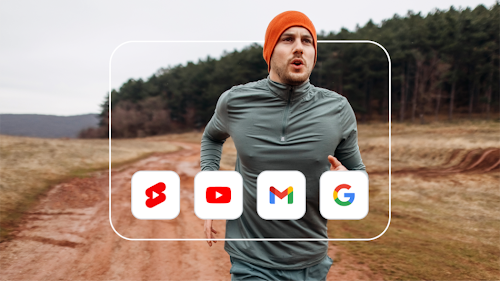
Demand Gen campaigns
Connect with consumers and drive demand with immersive, relevant creatives that grab attention and spur action.
-
 Learn more
Search ads
Show up on Google when people search for businesses like yours, and only pay when they click.
-
 Learn more
Performance Max
Achieve your goals across all of Google’s ad channels and inventory with a single campaign.